 EN
EN

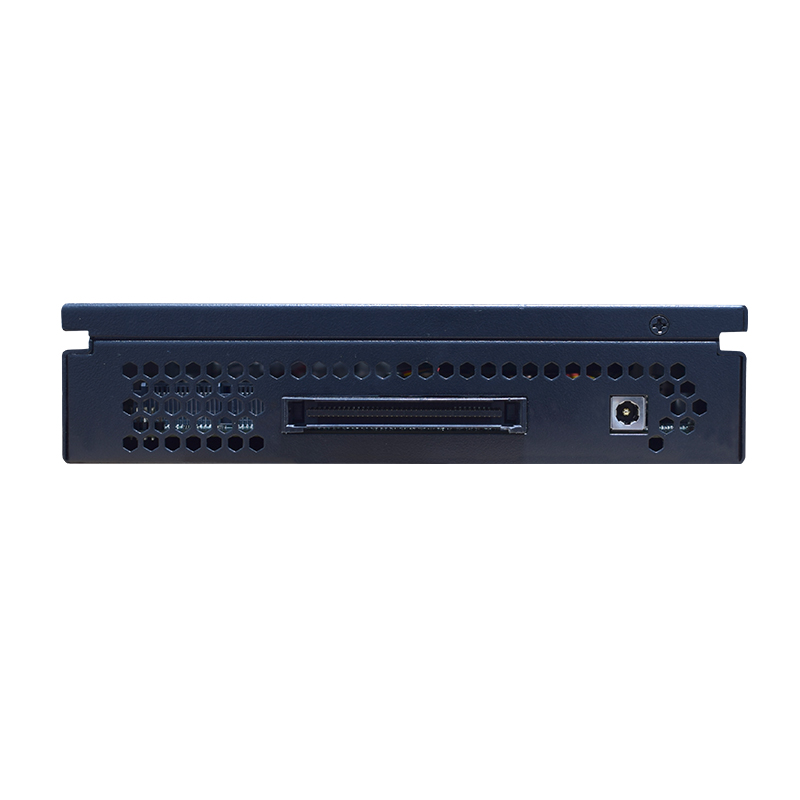
An ops module is a specialized computing component that transforms how digital displays operate in commercial and industrial environments. Unlike traditional standalone displays, an ops module integrates directly into a display unit, providing the processing power, software, and connectivity needed to deliver dynamic content without requiring separate external equipment. Understanding what an ops module is and recognizing its importance has become critical for businesses investing in digital signage solutions, as this technology fundamentally changes the installation, maintenance, and scalability of display networks.
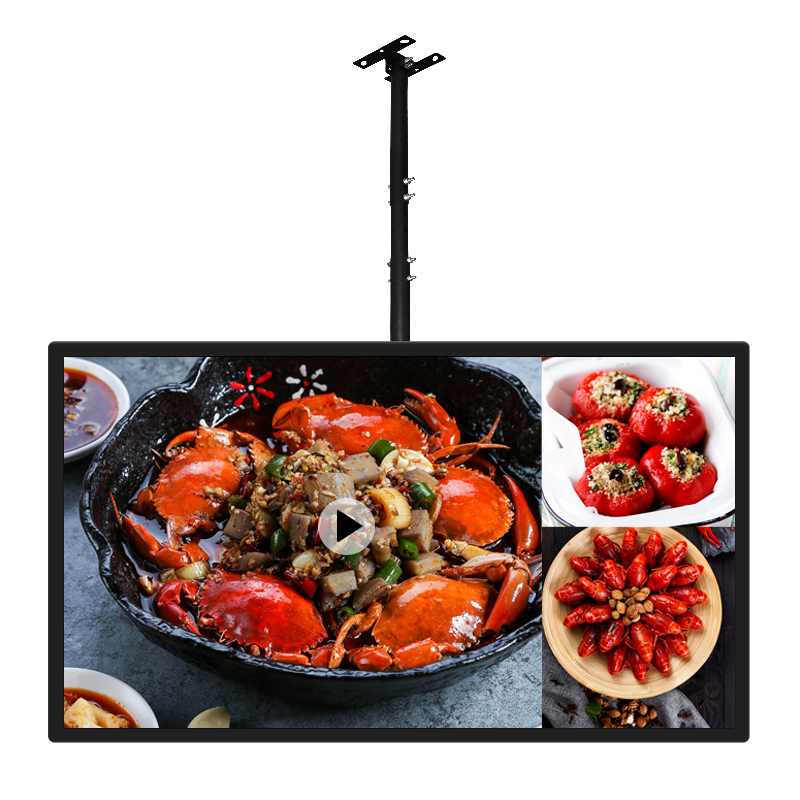
The ops module concept emerged as a response to the growing complexity of digital display deployments. Organizations managing multiple displays across different locations faced mounting infrastructure costs, compatibility challenges, and technical support burdens. By embedding an ops module directly into the display hardware, manufacturers created a more integrated, efficient approach to digital signage that reduces deployment friction and operational overhead. This shift represents a fundamental change in how enterprises think about display infrastructure, moving from a model dependent on external computers and servers to one where the display itself becomes a complete solution.
Understanding the Core Function of an OPS Module
What Defines an OPS Module Technology
An ops module is essentially a plug-and-play computing unit designed specifically for digital displays. The acronym 'ops' stands for 'Open Pluggable Specification,' a standard that ensures compatibility across different display manufacturers and hardware vendors. An ops module contains a processor, memory, storage, and an operating system, all packaged in a compact form factor that connects to the display through a dedicated interface. This standardized approach means that an ops module can theoretically work with any certified display, providing organizations with flexibility in their hardware purchasing decisions and reducing vendor lock-in concerns.
The architecture of an ops module differs significantly from embedding a full computer into a display. Rather than creating custom solutions for each display manufacturer, the ops module standard provides a unified interface that any display maker can incorporate. This modularity ensures that when an ops module becomes outdated, organizations can replace it without replacing the entire display. An ops module typically draws minimal power, generates little heat, and requires no additional cooling infrastructure, making it ideal for spaces where traditional computer systems would be impractical or expensive to maintain.
How an OPS Module Powers Digital Signage
When integrated into a display, an ops module handles all the computational work required for content management, playback, and network communication. The ops module receives content updates via internet connectivity, processes video and image files, and delivers them to the display screen seamlessly. Unlike external computers connected via HDMI or DisplayPort, an ops module operates as part of the display ecosystem, sharing power infrastructure and utilizing the same cooling systems. This integration means that an ops module operates more reliably and efficiently because it eliminates connection points where signal degradation or hardware failures might occur.
An ops module also simplifies the overall system architecture by consolidating components. Without an ops module, a digital display installation requires a separate media player or computer, additional cables, separate power supplies, and dedicated IT support. An ops module eliminates these external dependencies, creating a cleaner installation footprint and reducing the number of potential failure points. Organizations deploying displays across multiple locations benefit significantly because each ops module-equipped display becomes self-contained and independently manageable, streamlining remote monitoring and content updates across the entire network.
Why an OPS Module Is Essential for Modern Digital Displays
Operational Efficiency and Cost Reduction
The essential value of an ops module lies in its ability to reduce total cost of ownership across the display lifecycle. Installing an ops module eliminates the need for expensive external computers or media players that traditional display setups require. An ops module also reduces installation labor costs because technicians no longer need to configure separate computing equipment, run additional power lines, or manage complex cable routing. Over a five-year deployment period, the cumulative savings from eliminating external equipment, reducing space requirements, and lowering energy consumption make an ops module financially compelling for organizations managing display networks of any size.
An ops module further enhances operational efficiency by simplifying content management and remote updates. Since the ops module operates as an integrated component rather than an external device, IT teams can deploy software updates, patches, and content changes across all displays simultaneously without worrying about compatibility issues or connection problems. The ops module standard ensures that firmware updates and software improvements roll out consistently across the entire display network, eliminating the fragmentation that often plagues environments using diverse external computers or media players.
Reliability and System Integration
Reliability represents another critical reason why an ops module is essential for modern digital displays. Traditional display setups with external computers face numerous reliability challenges, including loose cable connections, driver conflicts, incompatible software versions, and separate component failures that cascade through the system. An ops module eliminates many of these failure modes by consolidating components into a single integrated unit with standardized interfaces and coordinated power management. The result is a more stable, predictable display system that requires less hands-on troubleshooting and delivers more consistent performance.
The ops module architecture also enables better thermal management and longevity compared to external computing solutions. Since the ops module shares the display's cooling infrastructure and power regulation systems, component temperatures remain more stable and heat-related failures become less likely. Organizations deploying displays in challenging environments—such as outdoor signage, retail spaces with variable temperature control, or industrial settings—benefit tremendously from the reliability improvements that an ops module provides. The standardized nature of an ops module means that if a component fails, replacement is straightforward and cost-effective rather than requiring complete system replacement.
Practical Implementation and Strategic Advantages
Scalability Across Multiple Locations
An ops module enables exceptional scalability for organizations deploying displays across multiple facilities, stores, or geographic regions. Because each display with an ops module operates as a self-contained unit with built-in computing capability, adding new displays to a network requires minimal additional infrastructure investment. An ops module-equipped display can connect to a central content management system via standard internet connectivity, allowing centralized control of thousands of displays without requiring expensive servers or specialized networking equipment at each location. This scalability makes an ops module particularly valuable for retail chains, hospitality networks, and enterprise environments managing distributed signage.
The flexibility inherent in an ops module architecture also supports gradual network expansion. Organizations can deploy displays incrementally without needing to invest in expensive infrastructure changes or centralized computing facilities. An ops module brings the necessary computing capability to each display location, eliminating bottlenecks and dependencies that plague traditional architectures. This distributed computing approach proves especially advantageous in environments where network bandwidth is limited or where content updates need to happen locally without relying on constant cloud connectivity.
Future-Proofing Display Investments
An ops module provides strategic protection against technological obsolescence by separating the display hardware from the computing component. As software requirements evolve, operating systems advance, and new content standards emerge, organizations can upgrade the ops module without replacing the display screen itself. This modularity extends the useful life of display hardware and protects capital investments from becoming stranded by rapid technology cycles. An ops module represents a commitment to flexibility and longevity that traditional integrated display solutions cannot match.
The ops module standard itself continues evolving to incorporate new features, improved performance, and enhanced security capabilities. Organizations can adopt newer ops module versions as they become available, incorporating the latest technology improvements without the disruption and expense of replacing entire display installations. This upgrade pathway makes an ops module an intelligent choice for businesses planning long-term display deployments and looking to protect their technology investments against rapid obsolescence.
FAQ
What operating systems can run on an ops module?
An ops module typically runs Linux, Windows, or Android operating systems, depending on the manufacturer and specific model. Most manufacturers provide options that allow customers to select the operating system best suited to their content management requirements and existing IT infrastructure. The ops module standard supports multiple operating systems specifically to accommodate diverse organizational preferences and existing software ecosystems. Organizations should verify operating system compatibility with their content management software before selecting a specific ops module model to ensure seamless integration.
Can an existing display be retrofitted with an ops module?
Not all existing displays can accept an ops module because they must have been designed with the appropriate connector interface at the time of manufacture. An ops module requires specific hardware compatibility built into the display during production, so retrofitting is generally not possible with older displays lacking the required internal architecture. However, organizations can replace aging displays with newer models that include ops module capability, effectively upgrading their infrastructure while maintaining consistent technology standards across their signage network.
How does an ops module compare to traditional media players?
An ops module provides superior integration compared to traditional external media players because it operates as part of the display hardware rather than as a separate external device. While traditional media players require additional cables, power supplies, mounting solutions, and separate cooling, an ops module consumes space and resources within the display housing. An ops module also offers better reliability because it eliminates loose connections and compatibility issues that plague external player setups, making it a more robust solution for mission-critical digital signage applications.


