 EN
EN

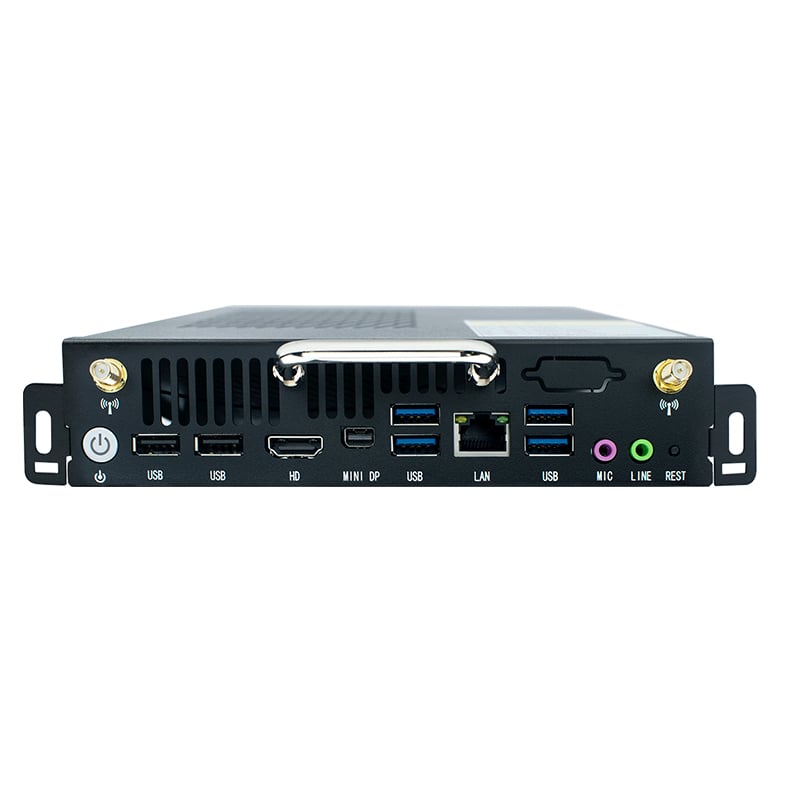
Selecting the right OPS player for your display system is a critical decision that directly impacts the performance, reliability, and total cost of ownership of your digital signage infrastructure. An OPS player is a specialized computing module that integrates directly into compatible displays, eliminating the need for separate external computers and reducing clutter, maintenance complexity, and deployment costs. Understanding how to evaluate and choose the right OPS player ensures your organization invests in technology that aligns with specific operational needs, content requirements, and environmental conditions.
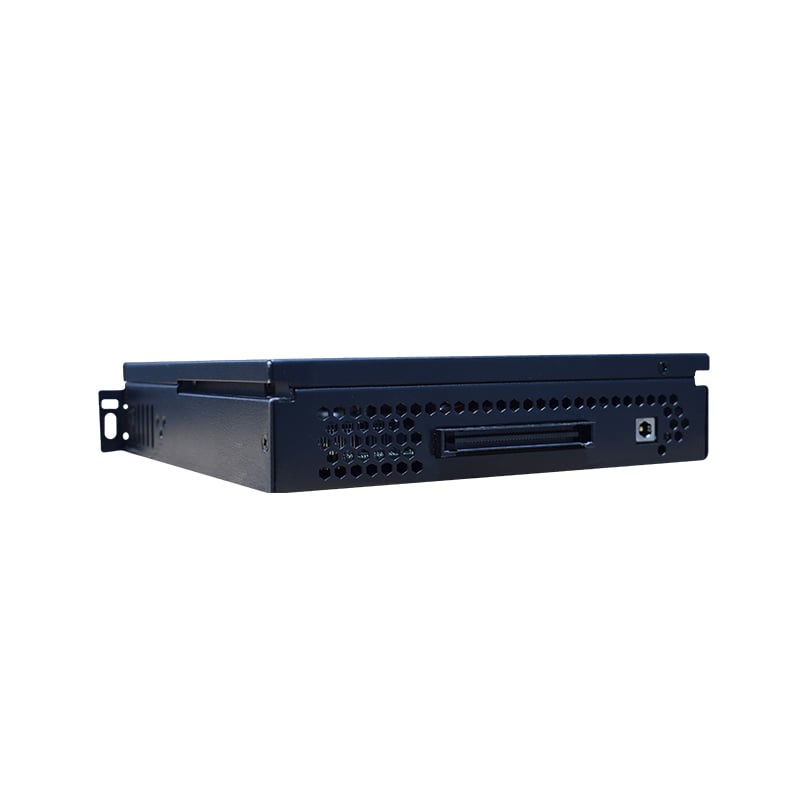
When evaluating OPS options, you must consider processor performance, memory capacity, storage capabilities, operating system compatibility, and environmental specifications. An OPS player serves as the brain of your display system, managing content playback, scheduling, data updates, and system diagnostics. The right OPS player balances computational power with energy efficiency, ensuring smooth performance without generating excessive heat or consuming unnecessary power in 24/7 operating environments typical of commercial and industrial settings.
Understanding OPS Player Specifications and Performance Metrics
Processor and Processing Power
The processor within your OPS player determines how efficiently the system handles content playback, multitasking, and real-time data processing. Modern OPS players typically use Intel or AMD processors ranging from entry-level Atoms to powerful Core i7 or Ryzen alternatives. Your selection depends on content complexity; basic static images and simple video loops require minimal processing power, while 4K video playback, real-time data visualization, and complex interactive applications demand higher-performance OPS configurations. Industrial-grade OPS players designed for continuous operation must prioritize thermal efficiency and reliability over raw speed.
Memory and Storage Configuration
RAM capacity in an OPS player directly influences multitasking capability and content management efficiency. Most commercial OPS implementations use between 4GB and 16GB of RAM, depending on content complexity and simultaneous application requirements. Storage similarly affects performance; solid-state drives in OPS players provide faster boot times, quicker content access, and improved reliability compared to mechanical alternatives. An OPS player with adequate storage ensures rapid content updates, multiple content scheduling layers, and comprehensive backup capabilities without performance degradation.
Evaluating Compatibility and Integration Requirements
Display System Compatibility
Not all OPS players fit all displays; compatibility verification is essential before purchase. Your chosen OPS player must physically interface with your display model through the standardized OPS connector module. Beyond physical compatibility, verify that the OPS player and display share compatible software ecosystems and control protocols. Some displays support multiple OPS configurations, offering flexibility for upgrades or replacements. When implementing an OPS player across multiple display locations, standardization simplifies inventory management, reduces support complexity, and creates economies of scale for future procurement.
Operating System and Software Ecosystem
An OPS player typically runs Windows, Linux, or proprietary operating systems, each offering distinct advantages for different scenarios. Windows-based OPS players provide broad software compatibility and familiar user interfaces, making them ideal for organizations with existing Windows infrastructure. Linux-based OPS options often deliver superior reliability, lower maintenance overhead, and better performance in resource-constrained environments. The software ecosystem supporting your chosen OPS player determines content creation flexibility, third-party application availability, and long-term upgrade pathways.
Environmental and Operational Considerations for OPS Selection
Temperature Management and Operating Conditions
Industrial environments impose demanding thermal and environmental requirements on digital signage infrastructure. Your OPS player must operate reliably within the temperature range of its deployment location, whether that involves heated indoor spaces, climate-controlled facilities, or outdoor installations subject to temperature extremes. An OPS player designed for continuous operation generates heat that the display enclosure must dissipate effectively. Specifications for maximum operating temperature, thermal design power, and cooling requirements directly impact long-term reliability and total lifecycle costs of your deployment.
Power Consumption and Energy Efficiency
Selecting an energy-efficient OPS player reduces operational costs and environmental impact, particularly in large-scale deployments with hundreds of displays. Modern OPS players employ power management technologies that reduce consumption during idle periods without sacrificing performance during active content playback. Comparing power specifications across candidate OPS models reveals significant cost differences over multi-year operational periods. An OPS player optimized for low power consumption also generates less heat, reducing display cooling requirements and extending component lifespan in challenging environments.
FAQ
What is the primary advantage of using an OPS player instead of external computers?
An OPS player eliminates cable clutter, reduces installation footprints, and simplifies system management by integrating computing power directly into the display. This integrated approach reduces maintenance points, improves aesthetic appearance, and decreases total deployment costs compared to managing separate displays and external computers. An OPS player also reduces power consumption and cooling requirements inherent in separate systems.
How do I verify that a specific OPS player is compatible with my display?
Check your display manufacturer's documentation for supported OPS player specifications and part numbers. An OPS player must physically connect through the standardized OPS module slot and support compatible software protocols. Consult both the display and OPS player specifications sheets, contact manufacturer support teams, or request compatibility verification before making purchasing decisions to avoid costly incompatibility issues.
Can I upgrade or replace an OPS player after initial installation?
Yes, most displays with OPS modules allow future upgrades or replacements as long as replacement OPS players maintain compatibility with your specific display model. An OPS player upgrade path provides flexibility for adapting to changing content requirements or extending system life without replacing entire displays. However, verify upgrade compatibility and software migration procedures with your manufacturer before planning replacements.


