EN
EN

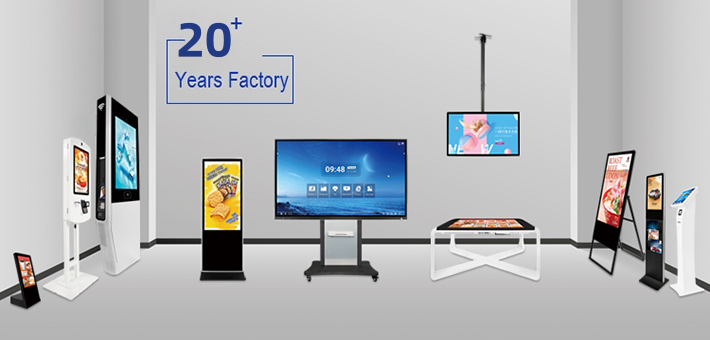
Selecting the right interactive display solution requires careful evaluation of multiple technical, functional, and business factors that directly impact user experience and organizational outcomes. Modern workplaces, educational institutions, and collaborative environments depend on interactive display solutions that seamlessly integrate with existing workflows while delivering reliable performance across diverse applications. The decision-making process involves comparing critical specifications, compatibility requirements, and long-term value propositions to ensure the chosen interactive display solution meets both current needs and future scalability demands.
Understanding what to compare when evaluating interactive display solutions enables organizations to make informed decisions that maximize return on investment while avoiding common implementation challenges. Each interactive display solution offers unique combinations of display technology, touch responsiveness, software compatibility, and installation requirements that significantly influence daily usability and operational efficiency. Comprehensive comparison frameworks help decision-makers identify which features and specifications align with their specific use cases, budget constraints, and technical infrastructure requirements.
Display Technology and Visual Performance
Screen Size and Resolution Considerations
Screen size represents one of the most fundamental comparison points when selecting an interactive display solution, as it directly affects viewing distance, content visibility, and space utilization. Larger displays typically range from 65 to 86 inches, offering enhanced visibility for conference rooms, classrooms, and presentation environments where multiple users need simultaneous access. The relationship between screen size and resolution determines pixel density, which impacts text clarity, image sharpness, and overall visual quality during interactive sessions.
Resolution specifications vary significantly across interactive display solution options, with 4K Ultra HD becoming the standard for professional applications requiring detailed content display. Higher resolution displays support more precise touch detection, smoother annotation capabilities, and better compatibility with high-definition source materials. Organizations should compare native resolution alongside upscaling capabilities to ensure their chosen interactive display solution delivers consistent visual quality across different content types and source devices.
Brightness and Color Accuracy
Brightness levels measured in nits determine how well an interactive display solution performs under various ambient lighting conditions, making this a critical comparison factor for environments with significant natural light or varied illumination. Professional-grade interactive displays typically offer brightness ratings between 350 to 500 nits, providing sufficient visibility without causing eye strain during extended use sessions. Color accuracy specifications, often measured using Delta E values, indicate how precisely the display reproduces colors compared to industry standards.
Anti-glare and anti-reflective coatings represent additional visual performance factors that differentiate interactive display solution options, particularly for installations in environments with challenging lighting conditions. These surface treatments reduce reflection interference while maintaining touch sensitivity and stylus precision. Organizations operating in bright environments or spaces with large windows should prioritize interactive display solutions that combine high brightness output with effective glare reduction technologies.
Touch Technology and Input Methods
Multi-Touch Capabilities and Precision
Touch detection technology forms the core functionality of any interactive display solution, with different approaches offering varying levels of precision, responsiveness, and multi-user support. Capacitive touch technology provides highly accurate finger detection and supports natural gesture recognition, making it suitable for applications requiring intuitive navigation and manipulation. Infrared touch systems offer excellent durability and can detect various input objects, including styluses, fingers, and pointers, expanding the versatility of the interactive display solution.
Multi-touch point capacity varies significantly between interactive display solution models, ranging from 10 to 40 simultaneous touch points depending on the underlying technology and intended applications. Higher touch point capacity enables multiple users to interact simultaneously without interference, making it essential for collaborative environments and educational settings. Response time specifications, typically measured in milliseconds, determine how quickly the display recognizes and processes touch inputs, directly affecting user experience during fast-paced interactions.
Stylus Support and Writing Experience
Stylus compatibility represents a crucial comparison factor for organizations requiring precise annotation, detailed drawing, or handwriting capabilities from their interactive display solution. Active stylus systems offer pressure sensitivity, palm rejection, and fine-tip precision that closely mimics traditional writing instruments. Passive stylus support provides broader compatibility with various input devices but may offer less precision for detailed work applications.
Writing lag, measured as the delay between stylus movement and on-screen response, significantly impacts the natural feel of digital writing and drawing activities. Premium interactive display solution options minimize writing lag through optimized touch processing and high refresh rates, creating more responsive and accurate input experiences. Organizations should test stylus performance with their specific content creation workflows to ensure the selected interactive display solution meets precision and responsiveness expectations.
Software Compatibility and Integration
Operating System Support
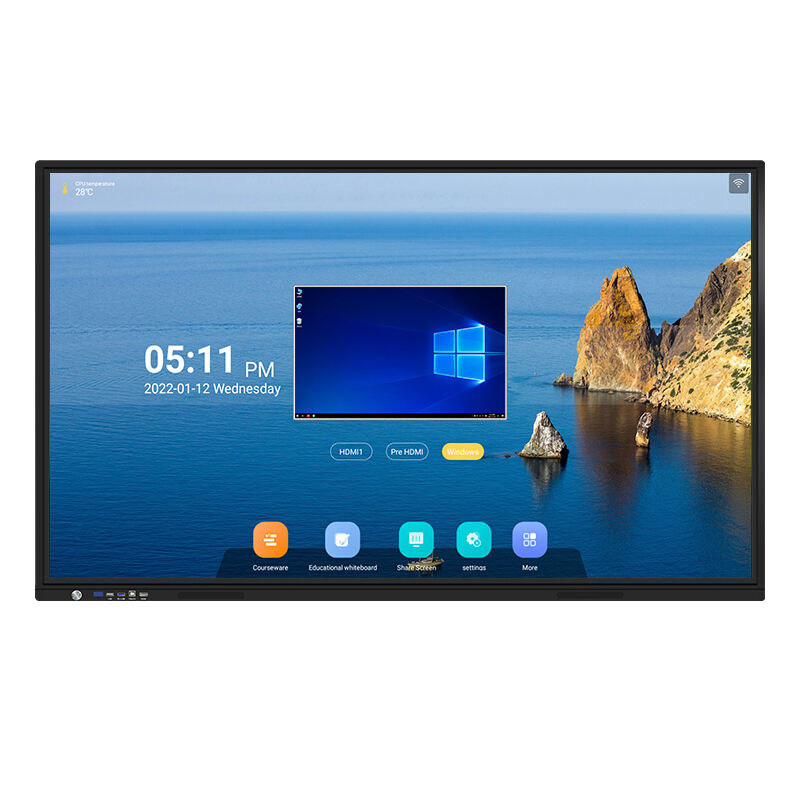
Operating system compatibility determines which devices and applications can effectively interface with an interactive display solution, making this a critical evaluation criterion for organizations with diverse technology ecosystems. Native support for Windows, macOS, iOS, and Android platforms ensures seamless connectivity across different device types without requiring additional software or drivers. Built-in operating systems, often based on Android or proprietary platforms, provide standalone functionality while potentially limiting third-party application compatibility.
Application ecosystem support varies considerably between interactive display solution providers, with some offering extensive app stores while others focus on core productivity and presentation functions. Organizations should compare available applications against their specific workflow requirements, including document editing, video conferencing, digital whiteboarding, and specialized industry software. Regular software updates and long-term support commitments from manufacturers ensure continued compatibility and security over the interactive display solution's operational lifespan.
Network Connectivity and Management
Network integration capabilities enable centralized management, content distribution, and remote monitoring of interactive display solution deployments across multiple locations. Wired and wireless connectivity options, including Ethernet, Wi-Fi 6, and Bluetooth support, determine how easily the display integrates with existing network infrastructure. Advanced interactive display solutions offer enterprise-grade network management features, including remote configuration, usage analytics, and automated software updates.
Cloud integration features allow organizations to synchronize content, settings, and user preferences across multiple interactive display solution installations, creating consistent experiences regardless of location. Security protocols, including encryption standards and user authentication methods, become increasingly important as interactive displays handle sensitive business information and connect to corporate networks. Organizations should evaluate network security features alongside connectivity options to ensure their chosen interactive display solution meets enterprise security requirements.
Installation and Maintenance Requirements
Mounting Options and Space Planning
Physical installation requirements significantly impact the total cost and complexity of deploying an interactive display solution, making mounting options and space considerations essential comparison factors. Wall mounting systems must support the display's weight and dimensions while providing appropriate viewing angles and user accessibility. Mobile cart solutions offer flexibility for shared interactive display solution deployments but require consideration of movement logistics and power connectivity in different locations.
Cable management and connection accessibility affect both installation complexity and long-term maintenance efficiency for interactive display solution implementations. Displays with side-accessible ports simplify cable routing and reduce installation time compared to models requiring rear access. Integrated cable management systems help maintain clean installations while ensuring reliable connections for power, data, and peripheral devices throughout the interactive display solution's operational life.
Warranty and Support Services
Warranty coverage and manufacturer support services represent crucial long-term value factors when comparing interactive display solution options, as these displays represent significant capital investments with multi-year operational expectations. Comprehensive warranty programs should cover display panels, touch functionality, and internal components while providing clear terms for repair or replacement services. Extended warranty options and on-site service capabilities become particularly important for mission-critical interactive display solution deployments.
Technical support availability, including phone, email, and remote assistance options, ensures organizations can quickly resolve issues that might interrupt interactive display solution operations. Manufacturer training programs and documentation quality affect how efficiently organizations can deploy, configure, and maintain their interactive displays. Response time commitments and escalation procedures help organizations understand the level of support they can expect when technical issues arise with their interactive display solution.
Total Cost of Ownership Analysis
Initial Investment and Hidden Costs
Purchase price represents only one component of the total cost analysis when selecting an interactive display solution, with additional expenses including installation, training, and ongoing maintenance significantly affecting the overall investment. Professional installation services, particularly for large displays requiring specialized mounting or integration work, can add substantial costs to the initial interactive display solution deployment. Licensing fees for premium software features, cloud services, or enterprise management tools may create ongoing expenses that weren't apparent in the initial pricing comparison.
Infrastructure requirements, including network upgrades, power conditioning, and environmental modifications, sometimes necessitate additional investments to support optimal interactive display solution performance. Organizations should factor in training costs for users and administrators, as well as potential productivity impacts during the transition period. Accessory costs, including styluses, cleaning supplies, and replacement components, contribute to the long-term financial commitment associated with interactive display solution ownership.
Energy Efficiency and Operating Costs
Energy consumption varies significantly between interactive display solution models, with more efficient designs reducing long-term operating costs while supporting environmental sustainability goals. Power consumption specifications, typically measured in watts during active use and standby modes, directly translate to electricity costs over the display's operational lifespan. Energy-efficient interactive display solutions often incorporate automatic brightness adjustment, sleep modes, and optimized backlighting systems to minimize power usage without compromising performance.
Maintenance requirements, including cleaning procedures, software updates, and component replacements, create ongoing operational costs that vary between interactive display solution technologies. Displays with anti-microbial surfaces and easy-clean coatings reduce maintenance time and supply costs compared to models requiring specialized cleaning procedures. Reliability ratings and expected component lifespans help organizations predict when major maintenance or replacement investments might be necessary for their interactive display solution.
FAQ
How important is screen size when choosing an interactive display solution?
Screen size critically impacts usability and user experience for interactive display solutions, with larger sizes generally providing better visibility for multiple simultaneous users but requiring more wall space and higher budgets. The optimal size depends on room dimensions, typical audience size, and primary use cases, with 65-inch displays suitable for smaller meeting rooms and 86-inch options better for large conference rooms or classrooms where the interactive display solution serves many users simultaneously.
What touch technology provides the best performance for business applications?
Capacitive touch technology typically offers the best combination of accuracy, responsiveness, and multi-touch support for business-focused interactive display solution applications. This technology provides precise finger detection, natural gesture recognition, and excellent writing experiences with compatible styluses, making it ideal for presentation environments, collaborative sessions, and detailed annotation work that characterizes professional interactive display solution usage.
How do software compatibility requirements affect interactive display solution selection?
Software compatibility directly determines which applications and workflows can effectively utilize an interactive display solution, making it essential to verify support for existing business software, video conferencing platforms, and document formats. Organizations should prioritize interactive display solutions that natively support their primary operating systems and offer extensive application ecosystems or easy integration with existing software environments to maximize productivity and minimize transition challenges.
What maintenance considerations should influence interactive display solution decisions?
Maintenance requirements significantly impact long-term satisfaction with interactive display solution investments, with factors including cleaning procedures, software update processes, and component accessibility affecting ongoing operational efficiency. Displays with anti-microbial surfaces, accessible ports, and automated update capabilities typically require less maintenance effort and lower ongoing costs compared to models with complex cleaning requirements or difficult service access for routine maintenance tasks.
Table of Contents
- Display Technology and Visual Performance
- Touch Technology and Input Methods
- Software Compatibility and Integration
- Installation and Maintenance Requirements
- Total Cost of Ownership Analysis
-
FAQ
- How important is screen size when choosing an interactive display solution?
- What touch technology provides the best performance for business applications?
- How do software compatibility requirements affect interactive display solution selection?
- What maintenance considerations should influence interactive display solution decisions?