EN
EN

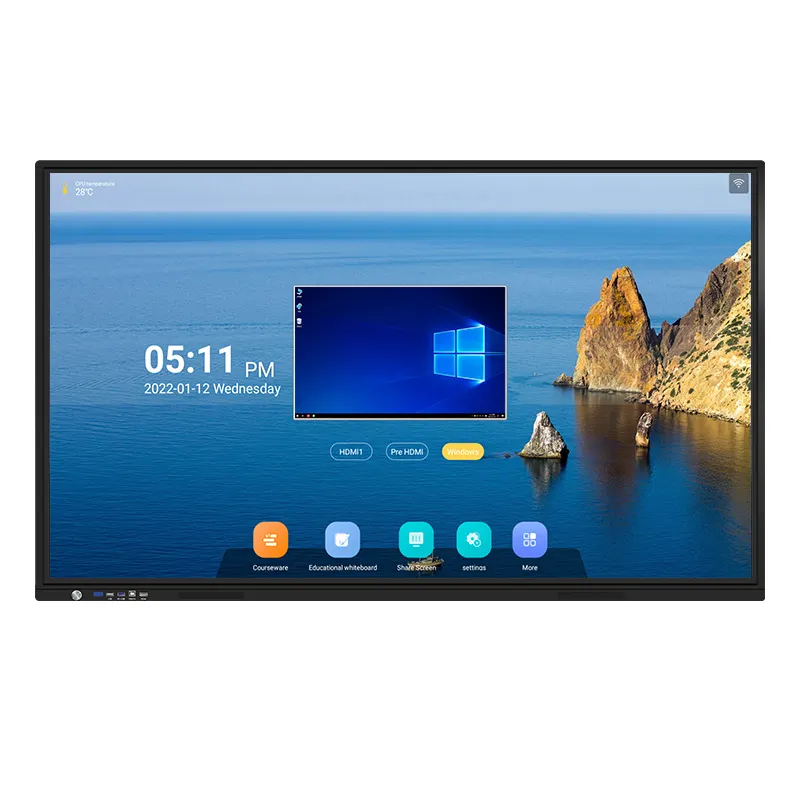
Modern business environments demand presentation solutions that engage audiences and facilitate meaningful collaboration. An interactive display represents a revolutionary shift from traditional projection systems, offering touch-enabled capabilities that transform passive presentations into dynamic, participatory experiences. These advanced display technologies combine high-resolution screens with intuitive touch interfaces, enabling presenters to manipulate content in real-time while encouraging audience participation and interaction.
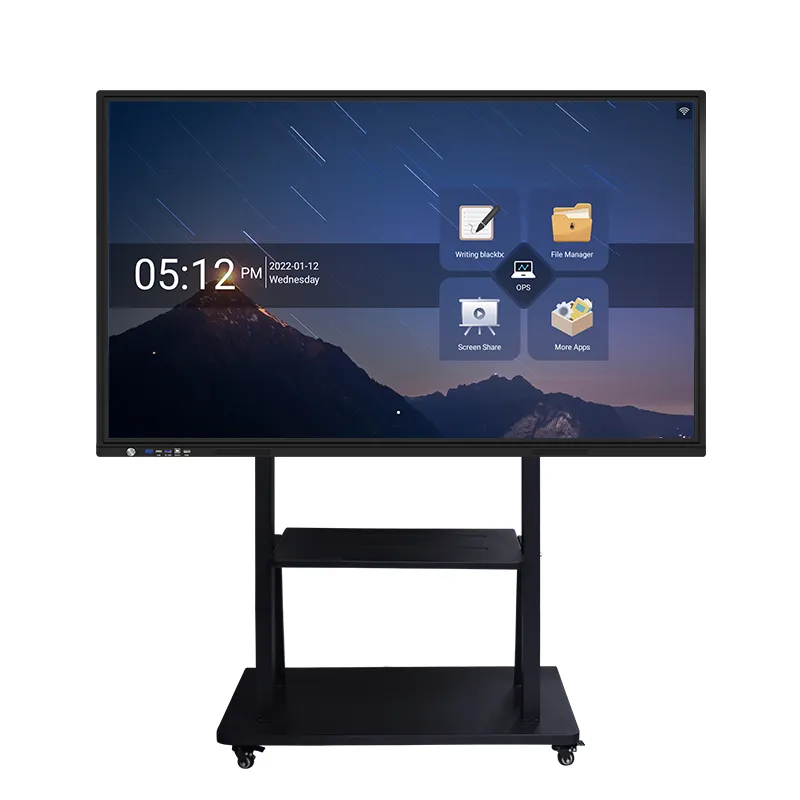
Enhanced Engagement Through Interactive Technology
Touch-Based Interaction Capabilities
The primary advantage of an interactive display lies in its touch-responsive surface that allows presenters to directly manipulate content using natural gestures. Unlike traditional displays that require separate input devices, these systems respond instantly to touch commands, enabling seamless navigation through presentations, documents, and multimedia content. Users can zoom into specific details, highlight important information, and annotate content in real-time, creating a more immersive and engaging presentation experience.
Advanced interactive display technology supports multi-touch functionality, allowing multiple users to interact simultaneously with the screen surface. This capability proves invaluable during collaborative meetings where team members can contribute ideas, edit documents together, and participate actively in brainstorming sessions. The responsive touch interface eliminates the barrier between presenter and audience, transforming one-way communication into dynamic, two-way interaction.
Real-Time Content Manipulation
Professional interactive display solutions provide powerful content manipulation tools that enhance presentation effectiveness. Presenters can instantly modify charts, graphs, and diagrams during meetings, responding to audience questions and feedback with immediate visual updates. This real-time editing capability allows for spontaneous content creation and modification, making presentations more responsive to audience needs and interests.
The ability to write, draw, and annotate directly on the display surface creates opportunities for visual storytelling and concept illustration that traditional presentation methods cannot match. Presenters can emphasize key points through highlighting, create visual connections between ideas using drawing tools, and save annotated content for future reference or distribution to meeting participants.
Superior Visual Quality and Performance
High-Resolution Display Technology
Modern interactive display systems feature ultra-high-definition resolution that ensures crystal-clear image quality for text, graphics, and video content. The superior pixel density eliminates the pixelation and blurriness often associated with traditional projectors, providing sharp, professional-looking presentations that maintain visual clarity even when viewed from close distances. This enhanced visual quality proves essential for detailed technical presentations, financial reports, and design reviews where precision matters.
The consistent brightness and color accuracy of LED-based interactive display technology outperforms projector-based systems, particularly in well-lit conference rooms and presentation spaces. These displays maintain optimal visibility regardless of ambient lighting conditions, eliminating the need to dim lights or adjust room configurations for effective presentations. The result is improved audience comfort and sustained attention throughout lengthy presentation sessions.
Reliable Performance Standards
Professional-grade interactive display systems offer exceptional reliability and consistent performance compared to traditional projection equipment. Without the need for lamp replacements, filter maintenance, or calibration adjustments, these displays provide years of trouble-free operation with minimal maintenance requirements. The solid-state construction eliminates moving parts that commonly fail in projector systems, reducing downtime and maintenance costs.
The instant-on capability of an interactive display eliminates warm-up delays and allows presenters to begin meetings immediately when participants arrive. This reliability factor proves crucial for time-sensitive business environments where delays can impact productivity and professional image. The consistent performance ensures that presentations proceed smoothly without technical interruptions or delays.
Collaborative Features and Connectivity
Multi-User Collaboration Tools
Interactive display systems excel in facilitating collaborative work sessions through features designed specifically for group interaction. Multiple participants can simultaneously contribute to presentations, edit shared documents, and collaborate on creative projects using the large touch-enabled surface. This collaborative approach transforms traditional presentation dynamics, encouraging active participation from all meeting attendees rather than passive observation.
Advanced collaborative features include digital whiteboarding capabilities that allow teams to brainstorm ideas, create mind maps, and develop concepts together in real-time. The interactive display serves as a shared workspace where participants can contribute equally, fostering creativity and innovation through visual collaboration. These sessions can be saved, shared, and continued across multiple meetings, maintaining project continuity and team engagement.
Wireless and Remote Connectivity
Modern interactive display solutions support wireless connectivity that enables seamless content sharing from laptops, tablets, and smartphones. Presenters and participants can share screens, transfer files, and collaborate on documents without the complications of cables and adapters. This wireless freedom enhances presentation flexibility and reduces setup time while supporting hybrid meeting formats with remote participants.
The connectivity options extend to video conferencing integration, allowing the interactive display to serve as the central hub for remote meetings and virtual collaboration sessions. Remote participants can view and interact with shared content, contributing to discussions and collaborative activities as if they were physically present in the meeting room. This integration proves essential for modern businesses operating with distributed teams and remote workers.
Cost-Effectiveness and Return on Investment
Long-Term Value Proposition
While the initial investment in an interactive display may exceed traditional projection systems, the long-term cost benefits become apparent through reduced maintenance expenses and improved operational efficiency. The elimination of consumable items such as projector lamps, filters, and calibration services significantly reduces ongoing operational costs over the system's lifespan. Additionally, the enhanced meeting effectiveness and improved collaboration often result in measurable productivity gains that justify the investment.
The versatility of interactive display technology provides multiple use cases within a single investment, serving as presentation screen, collaborative workspace, digital signage display, and video conferencing hub. This multi-functional capability maximizes the return on investment by supporting various business activities and reducing the need for multiple specialized devices. Organizations often discover additional applications for their interactive display systems beyond the original intended use.
Productivity and Efficiency Gains
The enhanced engagement and collaboration facilitated by interactive display technology often leads to more productive meetings and faster decision-making processes. The ability to manipulate content in real-time, annotate presentations, and capture ideas immediately reduces the need for follow-up meetings and email exchanges. These efficiency gains translate directly into cost savings through reduced meeting time and improved project timelines.
The professional appearance and advanced capabilities of an interactive display can enhance a company's image with clients and business partners. Impressive presentations using cutting-edge technology demonstrate innovation and attention to detail, potentially influencing business relationships and opportunities. The professional impact often extends beyond internal productivity gains to external business development benefits.
Implementation and Setup Considerations
Installation and Configuration
Professional installation of an interactive display system requires careful consideration of room layout, viewing angles, and user accessibility. The optimal mounting height and positioning ensure comfortable interaction for users of varying heights while maintaining clear visibility for all meeting participants. Professional installers can assess room lighting conditions and recommend configurations that maximize display performance and user experience.
The configuration process includes network integration, software setup, and user training to ensure optimal system utilization. IT departments must consider security protocols, user access controls, and backup procedures to protect sensitive business information while maintaining system availability. Proper configuration ensures that the interactive display integrates seamlessly with existing business systems and workflows.
Training and Adoption Strategies
Successful implementation of interactive display technology requires comprehensive user training and support to maximize adoption and utilization. Organizations should develop training programs that introduce users to basic touch gestures, navigation techniques, and collaborative features. Ongoing support and advanced training sessions help users discover new applications and become proficient with sophisticated features.
Change management strategies play a crucial role in encouraging adoption of interactive display technology across the organization. Early adopters and technology champions can demonstrate best practices and share success stories that encourage broader acceptance. Regular feedback collection and system optimization based on user experiences ensure continued satisfaction and maximum return on the technology investment.
FAQ
What are the main advantages of using an interactive display for business presentations
An interactive display offers numerous advantages including enhanced audience engagement through touch interaction, superior visual quality with high-resolution clarity, real-time content manipulation capabilities, and improved collaboration features. These systems eliminate the limitations of traditional projectors while providing reliable performance and multi-user interaction capabilities that transform passive presentations into dynamic, participatory experiences.
How does an interactive display improve meeting productivity and collaboration
Interactive display technology enhances meeting productivity by enabling real-time content editing, simultaneous multi-user collaboration, and immediate idea capture through digital annotation. Participants can actively contribute to presentations, edit shared documents together, and engage in visual brainstorming sessions. The result is more efficient meetings with better participation and faster decision-making processes.
What factors should be considered when choosing an interactive display for business use
Key factors include screen size appropriate for room dimensions and audience size, resolution quality for clear text and graphics visibility, touch sensitivity and multi-touch support for collaborative features, connectivity options for wireless sharing and video conferencing integration, and software compatibility with existing business applications. Additionally, consider long-term support, warranty coverage, and training resources provided by the manufacturer.
How do interactive displays compare to traditional projector systems in terms of cost and maintenance
While interactive displays typically require higher initial investment than projectors, they offer significant long-term cost advantages through eliminated consumable expenses such as lamp replacements and filter changes. The solid-state construction provides years of maintenance-free operation with consistent performance. When factoring in reduced downtime, improved meeting efficiency, and enhanced collaboration benefits, interactive displays often provide superior return on investment over their operational lifespan.
Table of Contents
- Enhanced Engagement Through Interactive Technology
- Superior Visual Quality and Performance
- Collaborative Features and Connectivity
- Cost-Effectiveness and Return on Investment
- Implementation and Setup Considerations
-
FAQ
- What are the main advantages of using an interactive display for business presentations
- How does an interactive display improve meeting productivity and collaboration
- What factors should be considered when choosing an interactive display for business use
- How do interactive displays compare to traditional projector systems in terms of cost and maintenance