EN
EN

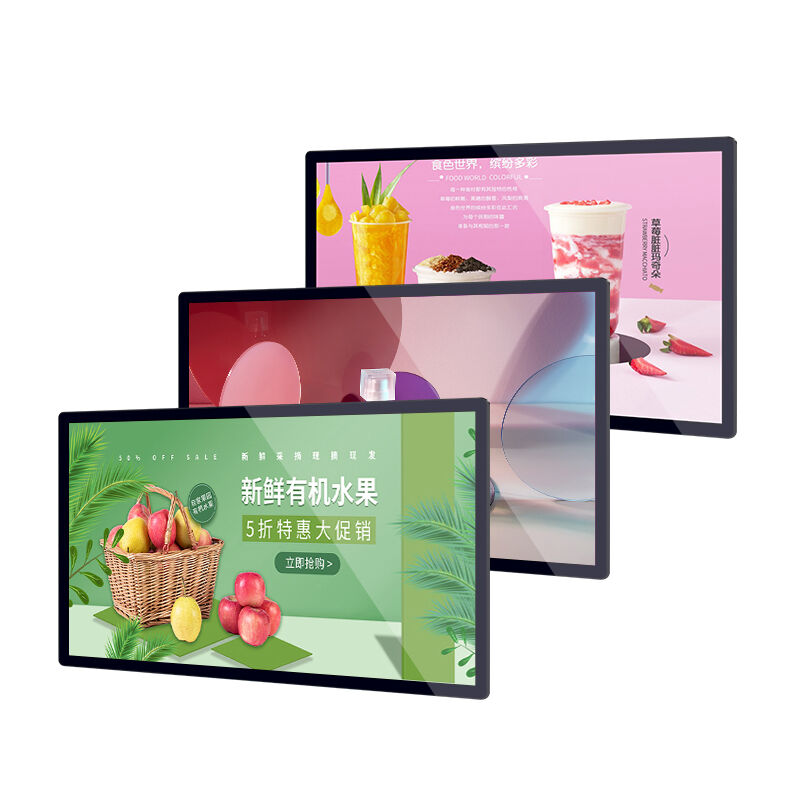
Chọn đúng màn hình gắn tường đối với môi trường kinh doanh của bạn đòi hỏi việc cân nhắc cẩn trọng các thông số kỹ thuật, yêu cầu vận hành và các yếu tố về độ bền lâu dài. Dù bạn đang triển khai bảng hiệu kỹ thuật số tại các không gian bán lẻ, xây dựng các trạm thông tin tự phục vụ trong sảnh chính của doanh nghiệp hay lắp đặt hệ thống giám sát phòng điều khiển, việc hiểu rõ những tính năng thực sự quan trọng sẽ giúp tránh những sai lầm tốn kém và đảm bảo khoản đầu tư của bạn mang lại giá trị bền vững. Một màn hình gắn tường không chỉ đơn thuần là một màn hình được cố định trên giá đỡ — mà còn đại diện cho giao diện then chốt giữa tổ chức của bạn và các bên liên quan, do đó đòi hỏi sự chú ý đặc biệt đến chất lượng hiển thị, tiêu chuẩn độ bền, các tùy chọn kết nối và khả năng thích ứng với môi trường sao cho phù hợp với tình huống triển khai cụ thể của bạn.
Các tính năng bạn ưu tiên cần trực tiếp giải quyết các thách thức vận hành và điều kiện quan sát của bạn. Các thiết bị màn hình gắn tường dành cho công nghiệp khác biệt đáng kể so với các màn hình hướng tới người tiêu dùng về khả năng quản lý nhiệt, tuổi thọ linh kiện và kỳ vọng về thời gian hoạt động liên tục. Bài viết này phân tích những đặc tính kỹ thuật và chức năng thiết yếu mà bạn cần đánh giá khi lựa chọn màn hình gắn tường, giúp bạn đưa ra quyết định sáng suốt nhằm cân bằng giữa yêu cầu hiệu năng với giới hạn ngân sách, đồng thời đảm bảo tính tương thích với cơ sở hạ tầng hiện có cũng như nhu cầu mở rộng quy mô trong tương lai.
Công nghệ hiển thị và các đặc tính hiệu năng hình ảnh
Loại bảng mạch (panel) và yêu cầu góc quan sát
Yếu tố nền tảng của bất kỳ màn hình gắn tường nào là công nghệ bảng mạch (panel), vốn quyết định độ chính xác màu sắc, góc nhìn và chất lượng hình ảnh tổng thể. Các bảng mạch IPS mang lại góc nhìn vượt trội, đạt tới gần 178 độ cả theo chiều ngang lẫn chiều dọc, do đó rất lý tưởng cho các lắp đặt màn hình gắn tường nơi người xem tiếp cận từ nhiều vị trí khác nhau. Điều này đặc biệt quan trọng trong các không gian công cộng, môi trường bán lẻ hoặc phòng hội nghị, nơi khán giả quan sát màn hình từ nhiều góc độ đồng thời. Các bảng mạch VA cung cấp tỷ lệ tương phản xuất sắc và màu đen sâu hơn, nhưng thường có góc nhìn hẹp hơn — điều này phù hợp với các môi trường xem được kiểm soát như phòng điều khiển hoặc văn phòng riêng.
Khi đánh giá công nghệ bảng mạch (panel) cho màn hình gắn tường của bạn, hãy xem xét điều kiện ánh sáng xung quanh và vị trí người xem trong môi trường cụ thể của bạn. Các bảng mạch TN, dù có thời gian phản hồi nhanh hơn, lại có góc nhìn hạn chế nhất và vấn đề lệch màu, khiến chúng không phù hợp với hầu hết các ứng dụng chuyên nghiệp sử dụng màn hình gắn tường. Độ phân giải gốc của bảng mạch cần phù hợp với yêu cầu nội dung của bạn: độ phân giải Full HD đáp ứng hiệu quả nhu cầu giao tiếp doanh nghiệp phổ biến, trong khi độ phân giải 4K mang lại lợi ích cho các ứng dụng đòi hỏi khả năng hiển thị chi tiết tinh tế hoặc khoảng cách xem gần hơn. Ngoài ra, các bảng mạch dành cho thương mại còn được trang bị lớp xử lý chống chói và thông số độ sáng cao hơn so với các màn hình tiêu dùng, từ đó giải quyết hiệu quả các điều kiện chiếu sáng thách thức thường gặp trong môi trường doanh nghiệp.
Mức độ độ sáng và thông số độ tương phản
Khả năng độ sáng đại diện cho một thông số kỹ thuật quan trọng đối với hiệu suất của màn hình gắn tường, đặc biệt trong các môi trường có ánh sáng xung quanh mạnh. Các thiết bị màn hình gắn tường thương mại thường đạt mức độ sáng từ 350 đến 700 nit, vượt xa dải độ sáng phổ biến ở các màn hình tiêu dùng (250–300 nit). Các ứng dụng tại vị trí gần cửa sổ, không gian bán lẻ được chiếu sáng mạnh hoặc khu vực ngoài trời được bảo vệ đòi hỏi mức độ sáng ở đầu cao hơn của dải này để duy trì khả năng hiển thị hình ảnh và tính dễ đọc của nội dung. Độ sáng không đủ sẽ dẫn đến hình ảnh nhạt, thiếu tương phản, không thu hút được sự chú ý hoặc truyền đạt thông tin một cách hiệu quả, từ đó làm suy yếu toàn bộ mục đích lắp đặt màn hình của bạn.
Thông số tỷ lệ tương phản bổ sung cho độ sáng bằng cách xác định sự khác biệt giữa màu đen tối nhất và màu trắng sáng nhất mà màn hình gắn tường có thể tái tạo. Tỷ lệ tương phản tĩnh trên 1000:1 cung cấp độ sâu hình ảnh phù hợp cho hầu hết các ứng dụng doanh nghiệp, trong khi các tỷ lệ cao hơn sẽ cải thiện chất lượng hình ảnh cảm nhận được trong môi trường tối hơn. Các công nghệ tương phản động điều chỉnh độ sáng nền dựa trên nội dung, nhưng các thông số sử dụng phương pháp đo lường này thiếu tiêu chuẩn hóa và không thể so sánh giữa các nhà sản xuất. Khi đánh giá các lựa chọn màn hình gắn tường, hãy ưu tiên các thông số tương phản gốc (native contrast) và độ đồng đều của độ sáng trên toàn bộ bề mặt bảng mạch, bởi vì những yếu tố này ảnh hưởng trực tiếp và đáng tin cậy hơn đến nhận thức của người xem cũng như hiệu quả truyền tải nội dung so với các tuyên bố về tương phản động.
Tiêu chuẩn Độ chính xác và Khả năng tái tạo Màu sắc
Các ứng dụng màn hình gắn tường chuyên dụng thường yêu cầu khả năng tái tạo màu chính xác để duy trì tính nhất quán về thương hiệu và đảm bảo nội dung hình ảnh hiển thị đúng như ý định của nhà thiết kế. Thông số độ bao phủ dải màu cho biết phạm vi màu sắc mà màn hình có thể tái tạo, trong đó độ bao phủ sRGB là tiêu chuẩn cơ bản dành cho nội dung kinh doanh. Các màn hình có khả năng bao phủ 90% hoặc nhiều hơn không gian màu sRGB sẽ đảm bảo rằng màu thương hiệu, hình ảnh sản phẩm và tài liệu tiếp thị xuất hiện nhất quán trên các kênh truyền thông khác. Các ứng dụng trong ngành sáng tạo, chẩn đoán hình ảnh y khoa hoặc trực quan hóa sản phẩm chi tiết có thể yêu cầu dải màu rộng hơn như độ bao phủ Adobe RGB hoặc DCI-P3, dù những yêu cầu chuyên biệt này làm tăng chi phí đáng kể.
Việc hiệu chuẩn tại nhà máy và độ đồng nhất về màu sắc giữa nhiều màn hình gắn tường trở nên quan trọng khi triển khai các màn hình video (video wall) hoặc các mảng màn hình được phối ghép đồng bộ. Các thiết bị cấp công nghiệp thường đi kèm báo cáo hiệu chuẩn và hỗ trợ quản lý màu liên tục thông qua các điều khiển phần mềm, đảm bảo tính nhất quán về mặt hình ảnh trong suốt vòng đời vận hành của màn hình. Màn hình gắn tường cũng cần duy trì độ ổn định màu sắc ở các mức độ sáng khác nhau cũng như trong toàn bộ dải nhiệt độ hoạt động, ngăn ngừa hiện tượng lệch màu có thể làm giảm hiệu quả nội dung vào các thời điểm khác nhau trong ngày hoặc do biến đổi nhiệt độ theo mùa trong môi trường lắp đặt của bạn.
Tiêu chuẩn độ bền và độ tin cậy vận hành
Đánh giá số giờ vận hành và tuổi thọ linh kiện
Khác với các màn hình tiêu dùng được thiết kế để sử dụng ngắt quãng trang chủ khi sử dụng, các thiết bị hiển thị gắn tường thương mại yêu cầu cấu tạo chắc chắn để hoạt động liên tục trong các môi trường kinh doanh đòi hỏi cao. Chỉ số giờ vận hành cho biết tuổi thọ dự kiến của bảng mạch hiển thị, trong đó các thiết bị thương mại thường được đánh giá ở mức 50.000 đến 100.000 giờ hoạt động, so với mức 30.000 đến 40.000 giờ đối với các màn hình tiêu dùng. Điều này tương đương với tuổi thọ vận hành vượt quá mười một năm sử dụng liên tục 24/7 đối với các thiết bị cấp công nghiệp, trong khi các thiết bị tiêu dùng chỉ kéo dài chưa đầy năm năm. Khi tính toán tổng chi phí sở hữu (TCO), tuổi thọ vận hành kéo dài của một thiết bị được lựa chọn đúng thông số kỹ thuật màn hình gắn tường giảm đáng kể tần suất thay thế cũng như chi phí nhân công lắp đặt đi kèm.
Chất lượng linh kiện không chỉ giới hạn ở bảng mạch hiển thị mà còn bao gồm độ bền của nguồn điện, độ chắc chắn của dây cáp nội bộ và tiêu chuẩn chế tạo bảng mạch. Các thiết bị hiển thị gắn tường dành cho công nghiệp sử dụng tụ điện đạt tiêu chuẩn thương mại, nguồn điện công suất cao có khả năng chịu dải điện áp rộng và lớp phủ bảo vệ (conformal coating) trên bảng mạch nhằm chống lại các tác nhân gây ô nhiễm từ môi trường. Những khác biệt trong cấu tạo này hiếm khi được nêu rõ trong bảng thông số kỹ thuật, nhưng lại quyết định căn bản việc thiết bị hiển thị gắn tường của bạn có vận hành ổn định trong nhiều năm hay gặp sự cố sớm, dẫn đến nhu cầu bảo trì tốn kém. Khi đánh giá các lựa chọn, hãy chủ động yêu cầu thông tin cụ thể về cấp độ linh kiện và tiêu chuẩn chất lượng sản xuất, thay vì chỉ dựa vào điều khoản bảo hành; bởi thời hạn bảo hành riêng lẻ không đảm bảo độ tin cậy thực tế trong quá trình vận hành.
Quản lý nhiệt và khả năng thích ứng với môi trường
Quản lý nhiệt hiệu quả ảnh hưởng trực tiếp đến độ tin cậy và tuổi thọ của màn hình gắn tường, vì các linh kiện điện tử suy giảm nhanh hơn ở nhiệt độ cao. Các thiết bị thương mại được trang bị hệ thống làm mát nâng cao, bao gồm các tản nhiệt lớn hơn, quạt nội bộ có điều khiển nhiệt thông minh và thiết kế thông gió nhằm thúc đẩy đối lưu tự nhiên ngay cả khi hoạt động không cần quạt. Dải nhiệt độ hoạt động được chỉ định cho thấy khả năng thích ứng với môi trường, trong đó các màn hình gắn tường công nghiệp thường hoạt động ổn định trong khoảng từ 0°C đến 40°C hoặc rộng hơn, so với dải nhiệt độ hẹp hơn dành cho thiết bị tiêu dùng sản phẩm . Các ứng dụng trong kho hàng, vị trí ngoài trời được bảo vệ hoặc không gian có hệ thống điều khiển khí hậu biến đổi đòi hỏi phải chú ý cả đến dải nhiệt độ hoạt động và đặc tính chịu ẩm.
Các tính năng cảm biến nhiệt độ và bảo vệ nhiệt tự động ngăn ngừa hư hỏng trong các điều kiện bất thường, đồng thời duy trì khả năng vận hành liên tục. Các mẫu màn hình gắn tường cao cấp được trang bị nhiều cảm biến nhiệt độ nhằm giám sát các khu vực linh kiện then chốt, kích hoạt các phản ứng theo cấp độ — từ tăng tốc độ quạt, giảm độ sáng cho đến tắt tạm thời nếu cần thiết — nhằm tránh hư hỏng vĩnh viễn. Thông số kỹ thuật về nhiệt độ lưu trữ cũng rất quan trọng đối với các màn hình có thể chịu tác động của nhiệt độ cực đoan trong quá trình vận chuyển hoặc lưu kho trước khi lắp đặt. Hãy xác minh rằng màn hình gắn tường bạn chọn được tích hợp đầy đủ các cơ chế bảo vệ nhiệt phù hợp và hoạt động ổn định, đáng tin cậy trong mọi điều kiện môi trường tại vị trí lắp đặt — bao gồm cả bốn mùa trong năm.
Chất lượng xây dựng và độ bền cơ học
Cấu tạo vật lý của màn hình gắn tường xác định khả năng chịu va đập cơ học, ứng suất khi lắp đặt và độ bền cấu trúc trong thời gian dài. Các thiết bị dành cho thương mại sử dụng khung kim loại và các cụm góc được gia cố nhằm duy trì độ cứng cấu trúc trong suốt quá trình lắp đặt cũng như suốt vòng đời vận hành. Thiết kế viền (bezel) ảnh hưởng đến cả yếu tố thẩm mỹ lẫn độ bền: viền mỏng mang lại lợi thế cho các ứng dụng màn hình video wall nhưng đòi hỏi phải chú ý kỹ lưỡng đến việc bảo vệ các cạnh. Giao diện lắp đặt cần tuân thủ tiêu chuẩn VESA phù hợp với kích thước và trọng lượng của màn hình, đồng thời các điểm lắp đặt phải được gia cố để phân tán lực lên toàn bộ khung thay vì tập trung tải trọng tại các điểm gắn kết.
Các giải pháp quản lý cáp được tích hợp sẵn trong thiết kế màn hình gắn tường giúp bảo vệ độ nguyên vẹn của kết nối và đơn giản hóa việc lắp đặt trong không gian hạn chế. Hãy lựa chọn các mẫu có cổng kết nối tiếp cận từ bên hông hoặc phía dưới thay vì chỉ ở mặt sau, bởi tính linh hoạt này phù hợp với nhiều tình huống lắp đặt khác nhau và tạo điều kiện thuận lợi hơn cho việc bảo trì. Nắp đậy cổng khóa và các tính năng bảo mật ngăn chặn việc can thiệp trái phép trong các khu vực công cộng, trong khi các tấm panel tháo rời cho phép truy cập bảo dưỡng mà không cần tháo toàn bộ màn hình. Chất lượng tổng thể của màn hình gắn tường thể hiện rõ qua những chi tiết như độ mịn của bề mặt hoàn thiện, độ chính xác trong việc căn chỉnh các tấm panel và sự vắng mặt của khe hở hay cạnh sắc – những dấu hiệu cho thấy quy trình sản xuất bị cắt giảm, ảnh hưởng đến độ tin cậy lâu dài.
Tùy chọn kết nối và khả năng tích hợp hệ thống
Đa dạng giao diện đầu vào và tương thích tín hiệu
Các tùy chọn kết nối toàn diện đảm bảo màn hình gắn tường của bạn tích hợp liền mạch với cơ sở hạ tầng hiện có và hỗ trợ các nâng cấp hệ thống trong tương lai. Nhiều cổng đầu vào HDMI là yêu cầu tối thiểu, trong đó HDMI 2.0 hoặc mới hơn hỗ trợ độ phân giải 4K ở tốc độ làm tươi 60 Hz để chuyển động mượt mà và khả năng tương tác phản hồi nhanh. Kết nối DisplayPort mang lại lợi thế cho các ứng dụng thương mại yêu cầu nối tiếp nhiều màn hình hoặc kết nối trạm làm việc máy tính, cung cấp băng thông cao hơn và truyền tín hiệu ổn định hơn trên khoảng cách cáp dài. Các cổng kết nối kế thừa như VGA hoặc DVI mở rộng khả năng tương thích với thiết bị cũ, tuy nhiên các giao diện kỹ thuật số nên được ưu tiên sử dụng cho các lắp đặt mới.
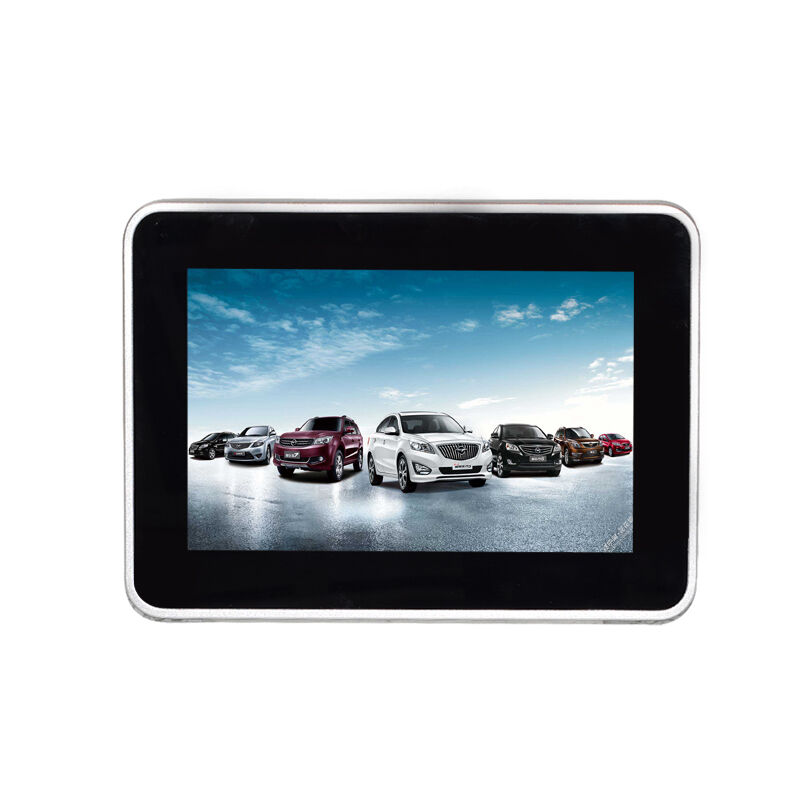
Khả năng kết nối mạng biến một màn hình gắn tường cơ bản thành nền tảng biển báo thông minh, cho phép quản lý từ xa và cập nhật nội dung. Cổng Ethernet tích hợp cho phép điều khiển tập trung nhiều màn hình, chẩn đoán từ xa và lên lịch tự động cho nội dung mà không cần bộ phát nội dung chuyên dụng cho từng màn hình. Hãy cân nhắc xem ứng dụng của bạn có được hưởng lợi từ khả năng xử lý tích hợp hay không, hoặc liệu một bộ phát nội dung bên ngoài chuyên dụng có phù hợp hơn với phương pháp quản lý nội dung của bạn. Các cổng USB hỗ trợ phát lại nội dung cục bộ từ thiết bị lưu trữ flash hoặc kích hoạt kết nối màn hình cảm ứng cho các ứng dụng tương tác, từ đó mở rộng tính linh hoạt chức năng của màn hình gắn tường vượt ra ngoài việc trình bày nội dung thụ động.
Khả năng âm thanh và xử lý tín hiệu
Khả năng phát âm thanh tích hợp trong màn hình gắn tường mang lại sự tiện lợi cho các ứng dụng yêu cầu tăng cường âm thanh cơ bản mà không cần hệ thống loa bên ngoài. Loa tích hợp thường cung cấp hiệu suất đủ tốt cho nội dung giọng nói, phản hồi giao diện hoặc nhạc nền trong môi trường yên tĩnh, mặc dù chất lượng âm thanh và công suất đầu ra hiếm khi sánh được với các giải pháp loa chuyên dụng. Các cổng kết nối đầu ra âm thanh cho phép tích hợp với hệ thống âm thanh hiện có hoặc loa chủ động khi chất lượng tái tạo cao hơn là yếu tố quan trọng đối với ứng dụng của bạn. Đầu ra âm thanh mức đường dây (line-level) và cổng âm thanh kỹ thuật số quang học mang lại tính linh hoạt cho nhiều kiến trúc hệ thống âm thanh khác nhau.
Các tính năng xử lý tín hiệu trong màn hình gắn tường ảnh hưởng đến chất lượng hình ảnh và khả năng tương thích với nhiều nguồn nội dung khác nhau. Hãy tìm các mẫu hỗ trợ phát hiện đầu vào tự động và chuyển đổi liền mạch giữa các nguồn, loại bỏ hiện tượng màn hình trống trong quá trình chuyển đổi nguồn. Các bộ xử lý tỷ lệ (scaling engines) xử lý độ phân giải không phải là độ phân giải gốc để phù hợp với độ phân giải gốc của bảng điều khiển giúp duy trì chất lượng hình ảnh khi hiển thị nội dung từ nhiều nguồn khác nhau. Các thiết bị màn hình gắn tường cao cấp bao gồm chức năng chuyển đổi không gian màu, khử lược (deinterlacing) cho các nguồn video cũ và các điều khiển điều chỉnh vùng quét thừa (overscan), đảm bảo nội dung được hiển thị đúng như mong muốn mà không bị cắt xén hoặc bóp méo không mong muốn.
Giao diện Điều khiển và Quản lý
Các khả năng quản lý từ xa phân biệt các giải pháp màn hình gắn tường chuyên dụng với các sản phẩm tiêu dùng, cho phép kiểm soát tập trung trên các hệ thống lắp đặt phân tán. Điều khiển nối tiếp RS-232 cung cấp khả năng tích hợp lệnh và điều khiển đáng tin cậy với các hệ thống tự động hóa phòng, cho phép triển khai các kịch bản điều khiển nâng cao nhằm đồng bộ hóa màn hình với hệ thống chiếu sáng, rèm che và các hệ thống môi trường khác. Điều khiển qua mạng thông qua Ethernet hoặc WiFi cho phép quản lý nguồn điện từ xa, lựa chọn đầu vào và điều chỉnh tham số mà không cần truy cập vật lý vào màn hình, từ đó giảm số lần gọi kỹ thuật hỗ trợ và cho phép lên lịch tự động phù hợp với giờ hoạt động của cơ sở.
Giao thức điều khiển được hỗ trợ và các tập lệnh khả dụng xác định mức độ linh hoạt khi tích hợp với các hệ thống điều khiển và nền tảng phần mềm khác nhau. Các giao thức mở cùng cấu trúc lệnh được tài liệu hóa đầy đủ cho phép triển khai các kịch bản tích hợp tùy chỉnh, trong khi các hệ thống điều khiển độc quyền có thể hạn chế khả năng tương thích với thiết bị của bên thứ ba. Khi triển khai nhiều màn hình gắn tường, hãy xác minh rằng phần mềm quản lý có khả năng mở rộng phù hợp để đáp ứng quy mô lắp đặt của bạn và cung cấp các chức năng giám sát, chẩn đoán và báo cáo mà đội vận hành của bạn yêu cầu nhằm thực hiện bảo trì chủ động và giải quyết sự cố.
Các yếu tố cần xem xét về gắn kết và lắp đặt
Tiêu chuẩn lắp đặt VESA và thông số kỹ thuật về trọng lượng
Các mẫu gắn VESA tiêu chuẩn đảm bảo khả năng tương thích giữa các đơn vị hiển thị gắn tường và các giá đỡ gắn thương mại, nhưng kích thước mẫu phải khớp nhau giữa thiết bị hiển thị và giá đỡ. Các mẫu VESA phổ biến cho thiết bị hiển thị thương mại dao động từ 200x200 mm đối với các thiết bị nhỏ hơn đến 600x400 mm hoặc lớn hơn đối với các màn hình có đường chéo vượt quá 55 inch. Hãy xác minh rằng mẫu VESA trên thiết bị hiển thị gắn tường bạn chọn khớp với phần cứng gắn sẵn có sẵn, phù hợp với cấu trúc tường và khả năng chịu tải của tường. Thông số trọng lượng thiết bị hiển thị ảnh hưởng trực tiếp đến yêu cầu về phần cứng gắn, trong đó các thiết bị thương mại thường nặng hơn các thiết bị tiêu dùng cùng kích thước do được chế tạo chắc chắn và trang bị hệ thống làm mát nâng cao.
Hồ sơ độ sâu của màn hình gắn tường ảnh hưởng đến khoảng cách nhô ra tổng thể từ bề mặt tường và yêu cầu khoảng cách thông gió. Các thiết kế có độ mỏng tối ưu giúp giảm thiểu tác động thị giác và giảm chiều sâu lắp đặt; tuy nhiên, một số mẫu đạt được độ mỏng hơn bằng cách hy sinh hiệu suất tản nhiệt hoặc độ cứng cấu trúc. Cần xem xét khoảng cách sẵn có phía sau màn hình để đi dây cáp và lưu thông không khí, bởi vì khoảng cách không đủ có thể làm suy giảm hiệu quả làm mát và gây khó khăn trong quá trình lắp đặt khi kết nối cáp. Các hệ thống gắn treo cho phép điều chỉnh nghiêng và xoay cung cấp tính linh hoạt khi lắp đặt và cho phép thiết lập góc xem tối ưu, dù những điều chỉnh này làm tăng độ phức tạp về cơ khí cũng như nhu cầu bảo trì tiềm tàng so với các giá treo cố định.
Yêu cầu về nguồn điện và các yếu tố điện
Thông số tiêu thụ điện năng ảnh hưởng đến cả chi phí vận hành và yêu cầu về cơ sở hạ tầng điện cho các hệ thống màn hình gắn tường. Các màn hình thương mại thường tiêu thụ từ 50 đến 200 watt, tùy thuộc vào kích thước và cài đặt độ sáng, trong khi mức tiêu thụ thực tế có thể thay đổi dựa trên nội dung hiển thị cũng như các tính năng quản lý năng lượng được cấu hình. Khả năng cấp nguồn qua Ethernet (Power-over-Ethernet – PoE) trên một số mẫu màn hình gắn tường có kết nối mạng giúp đơn giản hóa việc lắp đặt bằng cách loại bỏ các mạch điện riêng biệt để cấp nguồn; tuy nhiên, ngân sách công suất PoE giới hạn phương pháp này chỉ phù hợp với các màn hình có kích thước nhỏ hơn. Hãy xác minh rằng thông số điện áp đầu vào phù hợp với hệ thống điện sẵn có tại vị trí lắp đặt, đồng thời khả năng chịu dải điện áp rộng và chứng nhận quốc tế sẽ hỗ trợ triển khai trên toàn cầu.
Các tính năng tiết kiệm năng lượng bao gồm điều chỉnh độ sáng tự động, quản lý điện năng dựa trên sự hiện diện của người dùng và chu kỳ bật/tắt theo lịch trình giúp giảm chi phí vận hành đồng thời kéo dài tuổi thọ linh kiện nhờ giảm số giờ hoạt động. Chứng nhận Energy Star cung cấp xác minh độc lập từ bên thứ ba đối với các tuyên bố về hiệu suất năng lượng, mặc dù các yêu cầu chứng nhận có thể khác nhau tùy theo kích thước và công nghệ màn hình. Các khả năng quản lý điện tích hợp trong màn hình gắn tường cần phối hợp với hệ thống tự động hóa cơ sở, cho phép vận hành đồng bộ theo lịch trình tòa nhà và mô hình sử dụng không gian. Các tùy chọn nguồn điện dự phòng trong các ứng dụng quan trọng đảm bảo màn hình luôn sẵn sàng hoạt động ngay cả khi xảy ra sự cố với thành phần nguồn điện, tuy nhiên tính năng này thường chỉ xuất hiện trên các mẫu công nghiệp cao cấp được thiết kế cho các ứng dụng yêu cầu độ tin cậy tuyệt đối.
Khả năng lắp đặt và bảo trì
Yêu cầu lắp đặt thực tế ảnh hưởng đến cả chi phí triển khai ban đầu và chi phí bảo trì định kỳ trong suốt vòng đời vận hành của màn hình gắn tường. Vị trí cổng kết nối từ phía bên hoặc phía dưới cho phép kết nối cáp và thực hiện bảo trì mà không cần tháo màn hình, từ đó giảm thời gian bảo trì và hạn chế tối đa gián đoạn khi khắc phục sự cố hoặc cập nhật kết nối. Thiết kế mô-đun các thành phần giúp thay thế tại chỗ các bộ nguồn, trình phát phương tiện hoặc bảng mạch giao diện mà không cần thay toàn bộ màn hình, qua đó giảm chi phí sửa chữa và kéo dài tuổi thọ tổng thể của hệ thống. Hãy cân nhắc xem đội ngũ bảo trì của bạn có được đào tạo bài bản và sở hữu đầy đủ công cụ để thực hiện bảo trì tại hiện trường hay không, hoặc liệu các tính năng hỗ trợ bảo trì của màn hình có còn quan trọng hay không nếu chiến lược thay thế định kỳ được ưu tiên hơn so với sửa chữa.
Các tính năng quản lý cáp được tích hợp sẵn trong thiết kế giá treo tường cho màn hình giúp tránh các khó khăn trong quá trình lắp đặt và duy trì vẻ ngoài gọn gàng, thẩm mỹ trong các công trình hoàn thiện. Các bảng kết nối chìm và các kênh dẫn cáp định hướng dây cáp ra khỏi khu vực dễ nhìn thấy đồng thời bảo vệ cáp khỏi hư hại khi điều chỉnh hoặc bảo trì màn hình. Cơ chế gắn/mở nhanh cho phép tháo tạm thời màn hình để tiếp cận tường hoặc sơn lại mà không cần tháo rời toàn bộ giá treo, từ đó đơn giản hóa việc bảo trì cơ sở hạ tầng xung quanh các màn hình đã được lắp đặt. Chất lượng tài liệu hướng dẫn và khả năng tiếp cận các hướng dẫn lắp đặt ảnh hưởng trực tiếp đến mức độ thành công của việc triển khai; các mẫu lắp đặt chi tiết, sơ đồ kết nối và hướng dẫn cấu hình giúp giảm thời gian lắp đặt và ngăn ngừa sai sót có thể làm suy giảm hiệu suất hoặc độ tin cậy.
Hỗ trợ Hệ điều hành và Tương thích Phần mềm
Tương thích Đa Hệ điều hành và Hỗ trợ Nền tảng Nội dung
Các ứng dụng hiển thị gắn tường hiện đại ngày càng đòi hỏi hệ thống quản lý nội dung tinh vi, yêu cầu khả năng tương thích với nhiều hệ điều hành và nền tảng phân phối nội dung. Các màn hình hỗ trợ nhiều hệ điều hành — bao gồm Windows, Linux và Android — mang lại tính linh hoạt trong việc lựa chọn phương pháp quản lý nội dung phù hợp với tiêu chuẩn CNTT của tổ chức cũng như trình độ chuyên môn của nhân viên. Các trình phát đa phương tiện tích hợp chạy hệ điều hành Android hoặc các hệ điều hành nhúng khác loại bỏ nhu cầu về phần cứng bên ngoài để phát lại nội dung cơ bản; tuy nhiên, những hạn chế về hiệu năng và chức năng có thể đòi hỏi việc sử dụng các trình phát đa phương tiện chuyên dụng cho các ứng dụng yêu cầu xử lý video độ phân giải cao hoặc nội dung tương tác phức tạp.
Khả năng tương thích với hệ thống quản lý nội dung xác định mức độ dễ dàng khi triển khai, lên lịch và cập nhật nội dung trên các màn hình gắn tường được phân bố rộng. Hãy xác minh rằng màn hình bạn chọn hoạt động trơn tru với nền tảng quản lý nội dung của bạn, bất kể nền tảng đó được lưu trữ trên đám mây hay tại chỗ, đồng thời đảm bảo có sẵn trình điều khiển hỗ trợ cho môi trường hệ điều hành của bạn. Các mẫu màn hình cung cấp khả năng cấu hình và quản lý dựa trên trình duyệt giúp giảm nhu cầu hỗ trợ CNTT so với các công cụ phần mềm chuyên dụng yêu cầu cài đặt trên các trạm làm việc quản trị. Hãy xem xét cam kết hỗ trợ phần mềm dài hạn từ nhà sản xuất màn hình, bởi các bản cập nhật firmware nhằm khắc phục lỗ hổng bảo mật và bổ sung tính năng sẽ kéo dài tuổi thọ sử dụng thực tế của thiết bị vượt xa giới hạn chỉ dựa trên độ bền phần cứng.
Khả năng tương tác và tích hợp công nghệ cảm ứng
Các ứng dụng tương tác biến một màn hình gắn tường thụ động thành nền tảng thu hút người dùng thông qua khả năng cảm ứng tích hợp hoặc khả năng tương thích với các lớp phủ cảm ứng bên ngoài. Công nghệ cảm ứng điện dung mang lại trải nghiệm tương tác phản hồi nhanh nhất và chính xác nhất, hỗ trợ các cử chỉ đa điểm quen thuộc với người dùng từ trải nghiệm trên điện thoại thông minh và máy tính bảng. Các hệ thống cảm ứng hồng ngoại cung cấp khả năng đa điểm tương tự trong khi vẫn cho phép thao tác khi đeo găng tay hoặc sử dụng bút stylus — những trường hợp mà hệ thống cảm ứng điện dung có thể không phát hiện một cách đáng tin cậy. Các thông số về độ chính xác vị trí chạm và độ trễ phản hồi quyết định chất lượng trải nghiệm người dùng, trong đó các ứng dụng chuyên nghiệp yêu cầu độ chính xác vị trí chạm trong phạm vi 2 mm và thời gian phản hồi dưới 10 mili giây để đảm bảo tương tác mượt mà.
Khi lựa chọn giá treo tường cho màn hình có khả năng tương tác, cần xem xét các yếu tố môi trường ảnh hưởng đến độ tin cậy của tính năng cảm ứng, bao gồm điều kiện chiếu sáng, các chất gây nhiễm bẩn tiềm ẩn và góc tiếp cận của người dùng. Việc gắn kết quang học (optical bonding) giữa lớp cảm ứng và bảng mạch màn hình giúp giảm thiểu hiệu ứng sai lệch thị giác (parallax) làm suy giảm độ chính xác khi chạm, đồng thời cải thiện độ tương phản hình ảnh và khả năng chống ngưng tụ trong các môi trường có nhiệt độ thay đổi. Tính tương thích của bộ điều khiển cảm ứng với các hệ điều hành khác nhau cùng khả năng cung cấp trình điều khiển ảnh hưởng đến mức độ phức tạp khi tích hợp phần mềm; các bộ điều khiển tuân thủ chuẩn HID mang lại khả năng tương thích rộng nhất, nhưng có thể bị hạn chế về tùy chỉnh so với các trình điều khiển do nhà sản xuất cung cấp — những trình điều khiển này cho phép cấu hình cử chỉ nâng cao và tinh chỉnh chức năng loại bỏ chạm bởi lòng bàn tay.
Khả năng nâng cấp firmware và tính sẵn sàng cho tương lai
Giá trị dài hạn từ khoản đầu tư vào màn hình gắn tường một phần phụ thuộc vào cam kết của nhà sản xuất trong việc cung cấp hỗ trợ firmware liên tục nhằm xử lý các lỗ hổng bảo mật, cải thiện hiệu năng và bổ sung tính năng trong suốt vòng đời sản phẩm. Các màn hình cho phép nâng cấp firmware tại chỗ thông qua giao diện mạng hoặc USB sẽ duy trì tính phù hợp khi các định dạng nội dung thay đổi và các tiêu chuẩn kết nối mới ra đời. Hãy xác minh hồ sơ thực tế của nhà sản xuất về thời gian hỗ trợ firmware và tần suất cập nhật, vì điều này phản ánh mức độ hỗ trợ dự kiến dành cho mẫu cụ thể mà bạn đang sử dụng. Các tổ chức chú trọng bảo mật cần đánh giá cơ chế xác thực bản cập nhật firmware nhằm ngăn chặn các sửa đổi trái phép có thể làm suy giảm tính toàn vẹn của màn hình hoặc tạo ra các lỗ hổng bảo mật.
Việc chuẩn bị cho tương lai không chỉ dừng lại ở phần mềm mà còn bao gồm hỗ trợ khe cắm mở rộng cho các card giao diện hoặc mô-đun xử lý bổ sung. Một số nền tảng màn hình treo tường cấp doanh nghiệp cung cấp kiến trúc mô-đun cho phép nâng cấp phần cứng mà không cần thay thế hoàn toàn màn hình, kéo dài tuổi thọ hoạt động khi yêu cầu thay đổi. Tính mô-đun này đặc biệt có giá trị đối với các hệ thống lắp đặt lớn, nơi chu kỳ làm mới công nghệ yêu cầu cập nhật theo từng giai đoạn thay vì thay thế hoàn toàn đồng thời. Cần cân bằng các tính năng chuẩn bị cho tương lai với các yêu cầu hiện tại và chu kỳ làm mới công nghệ thực tế, vì việc quá chú trọng vào các khả năng lý thuyết trong tương lai có thể làm tăng chi phí mà không mang lại giá trị thực tiễn trong thời gian triển khai thực tế của bạn.
Câu hỏi thường gặp
Tuổi thọ trung bình của một màn hình thương mại gắn tường so với các mẫu tiêu dùng là bao nhiêu?
Các thiết bị hiển thị gắn tường thương mại được thiết kế để có tuổi thọ hoạt động từ 50.000 đến 100.000 giờ, tương đương với 11 năm hoặc hơn nếu vận hành liên tục 24/7. Thời gian này vượt xa đáng kể tuổi thọ của các thiết bị hiển thị tiêu dùng (30.000–40.000 giờ) nhờ sử dụng các linh kiện cấp công nghiệp, bao gồm tụ điện đạt tiêu chuẩn thương mại, nguồn điện mạnh mẽ và hệ thống quản lý nhiệt nâng cao. Sự chênh lệch về tuổi thọ thực tế còn trở nên rõ rệt hơn nữa trong các môi trường khắc nghiệt — ví dụ như khi thiết bị phải vận hành trong thời gian dài, ở nhiệt độ môi trường cao hoặc chạy nội dung liên tục — bởi thiết kế cấp thương mại giúp duy trì hiệu năng và độ tin cậy, trong khi các sản phẩm tiêu dùng tương ứng sẽ suy giảm nhanh chóng.
Thông số độ sáng quan trọng đến mức nào khi lựa chọn thiết bị hiển thị gắn tường?
Khả năng độ sáng trực tiếp xác định khả năng hiển thị nội dung và hiệu quả của nó trong môi trường lắp đặt cụ thể của bạn, do đó đây là thông số kỹ thuật quan trọng đòi hỏi sự cân nhắc cẩn trọng. Các môi trường văn phòng tiêu chuẩn với hệ thống chiếu sáng được kiểm soát thường hoạt động tốt với mức độ sáng từ 350 đến 450 nit, trong khi các vị trí có ánh sáng xung quanh mạnh — ví dụ như gần cửa sổ hoặc không gian bán lẻ được chiếu sáng rực rỡ — yêu cầu độ sáng từ 500 đến 700 nit để đảm bảo khả năng hiển thị đầy đủ. Độ sáng không đủ sẽ dẫn đến hình ảnh bị loãng, không thu hút được sự chú ý hoặc truyền đạt thông tin một cách hiệu quả, làm giảm giá trị đầu tư vào màn hình của bạn. Luôn đánh giá yêu cầu về độ sáng dựa trên điều kiện lắp đặt thực tế thay vì lựa chọn màn hình chỉ dựa trên kích thước hoặc độ phân giải.
Tôi có thể sử dụng màn hình tiêu dùng cho các ứng dụng treo tường thương mại không?
Trong khi màn hình tiêu dùng được lắp đặt cố định lên tường về mặt vật lý, chúng lại thiếu các tiêu chuẩn độ bền, xếp hạng hoạt động và tính năng độ tin cậy cần thiết cho các môi trường thương mại khắt khe. Màn hình tiêu dùng hoạt động ổn định trong điều kiện sử dụng gia đình ngắt quãng, nhưng các linh kiện của chúng suy giảm nhanh hơn khi phải vận hành liên tục trong thời gian dài, ở nhiệt độ cao hoặc chạy nội dung không ngừng—đây là những điều kiện phổ biến trong các ứng dụng doanh nghiệp. Các đơn vị màn hình lắp tường dành cho thương mại tích hợp các linh kiện cấp công nghiệp, hệ thống quản lý nhiệt nâng cao, chế độ bảo hành kéo dài và khả năng tương thích với các hệ thống điều khiển chuyên dụng—những yếu tố mà các lựa chọn màn hình tiêu dùng không có. Chi phí ban đầu thấp hơn rõ rệt của màn hình tiêu dùng hiếm khi biện minh được cho việc hy sinh độ tin cậy vận hành cũng như chấp nhận tỷ lệ hỏng hóc cao hơn đáng kể, kèm theo chi phí thay thế và gián đoạn hoạt động.
Những tùy chọn kết nối nào là thiết yếu đối với các ứng dụng màn hình lắp tường hiện đại?
Khả năng kết nối thiết yếu cho các hệ thống hiển thị gắn tường hiện đại bao gồm nhiều cổng HDMI đầu vào hỗ trợ các yêu cầu về độ phân giải và tốc độ làm mới hiện hành; trong đó HDMI 2.0 hoặc phiên bản mới hơn cho phép hiển thị nội dung 4K ở tần số quét 60 Hz. Kết nối mạng thông qua cổng Ethernet tích hợp cho phép quản lý từ xa, điều khiển tập trung và phân phối nội dung mà không cần sử dụng các thiết bị phát nội dung chuyên dụng tại từng vị trí lắp đặt màn hình. Các cổng USB hỗ trợ phát lại nội dung cục bộ và các ứng dụng tương tác, trong khi các cổng kết nối kế thừa như VGA đảm bảo khả năng tương thích với thiết bị hiện có trong giai đoạn chuyển đổi. Đối với các hệ thống lắp đặt chuyên nghiệp, cần ưu tiên lựa chọn các màn hình cung cấp giao diện điều khiển như RS-232 hoặc các giao thức mạng nhằm tích hợp với các hệ thống tự động hóa tòa nhà và nền tảng giám sát tập trung, từ đó hỗ trợ bảo trì chủ động cũng như quản lý vận hành hiệu quả và liền mạch.
Mục lục
- Công nghệ hiển thị và các đặc tính hiệu năng hình ảnh
- Tiêu chuẩn độ bền và độ tin cậy vận hành
- Tùy chọn kết nối và khả năng tích hợp hệ thống
- Các yếu tố cần xem xét về gắn kết và lắp đặt
- Hỗ trợ Hệ điều hành và Tương thích Phần mềm
-
Câu hỏi thường gặp
- Tuổi thọ trung bình của một màn hình thương mại gắn tường so với các mẫu tiêu dùng là bao nhiêu?
- Thông số độ sáng quan trọng đến mức nào khi lựa chọn thiết bị hiển thị gắn tường?
- Tôi có thể sử dụng màn hình tiêu dùng cho các ứng dụng treo tường thương mại không?
- Những tùy chọn kết nối nào là thiết yếu đối với các ứng dụng màn hình lắp tường hiện đại?