 EN
EN


An interactive whiteboard is no longer a luxury reserved for elite institutions or high-budget corporations. Today, it is a practical upgrade that transforms how teams collaborate, how educators teach, and how organizations communicate. If you are evaluating whether this technology belongs in your space, understanding the concrete benefits it delivers will help you make a confident decision.
Upgrading to an interactive whiteboard means replacing static, passive display tools with a dynamic, touch-enabled platform that supports real-time annotation, multimedia content, and seamless digital connectivity. The interactive whiteboard brings together hardware and software capabilities that older display systems simply cannot match. From classrooms to boardrooms, the interactive whiteboard is redefining what productive communication looks like in a modern environment.
Enhanced Engagement and Participation
How the Interactive Whiteboard Captures Attention
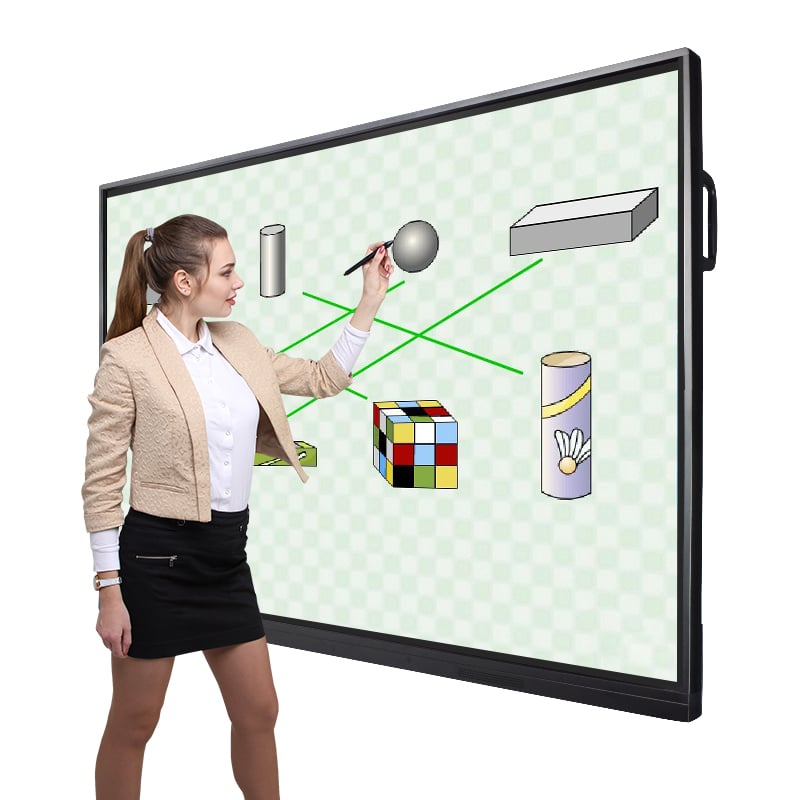
One of the most immediate benefits of an interactive whiteboard is its ability to capture and hold attention. Traditional whiteboards or projector screens are passive surfaces. An interactive whiteboard, by contrast, invites users to touch, annotate, drag, and interact directly with the content being displayed. This physical engagement shifts participants from passive observers to active contributors, which is a critical factor in both learning retention and meeting productivity.
In an educational setting, students respond more enthusiastically when lessons are delivered through an interactive whiteboard. Teachers can embed videos, run live polls, display digital simulations, and write directly on the screen, all within a single session. This variety keeps students focused and makes complex topics more accessible. The interactive whiteboard creates a learning environment that adapts to multiple learning styles simultaneously.
Participation Benefits in Meeting Environments
In a corporate meeting room, the interactive whiteboard encourages broader team participation. Instead of one person controlling a laptop or a static projector, multiple users can contribute to the interactive whiteboard display simultaneously. Remote participants can join via integrated conferencing tools, and the interactive whiteboard can share content in real time across locations. This inclusivity leads to faster decision-making, better brainstorming outcomes, and higher team engagement overall.
Improved Workflow and Productivity
Streamlining Collaboration With an Interactive Whiteboard
The interactive whiteboard is built to streamline workflows that otherwise require multiple disconnected tools. Instead of switching between a laptop, a projector, a whiteboard, and a separate screen-sharing platform, the interactive whiteboard consolidates all of these functions into one device. Users can open documents, annotate slides, launch applications, and connect to video conferencing platforms directly from the interactive whiteboard interface.
This consolidation saves meaningful time in daily operations. Teams no longer spend the first ten minutes of every meeting setting up equipment or troubleshooting connections. With the interactive whiteboard, the workspace is ready instantly. The interactive whiteboard supports both Windows and Android operating systems in many modern configurations, which means existing workflows and software tools integrate without friction.
Digital Annotation and Content Saving
A traditional whiteboard loses its value the moment someone erases it. An interactive whiteboard solves this fundamental problem by allowing users to save, export, and share everything written or drawn during a session. After a collaborative brainstorming session on the interactive whiteboard, the entire workspace can be sent as a PDF or image file to every participant within seconds. This means no critical ideas are lost, and follow-up actions can begin immediately. The interactive whiteboard turns ephemeral discussions into documented, actionable records.
Long-Term Value and Versatility
The Interactive Whiteboard Across Multiple Use Cases
The interactive whiteboard is not a single-purpose device. It serves equally well in a primary school classroom, a university lecture hall, a corporate training room, a healthcare briefing space, or a design studio. Because the interactive whiteboard operates as a full computing platform with a large touch display, its applications span virtually every professional context. Organizations that invest in an interactive whiteboard are not buying a niche gadget but rather a versatile infrastructure tool that evolves with their needs.
Modern interactive whiteboard models, including those running dual operating systems, support a wide range of third-party applications. This means the interactive whiteboard can function as a digital signage display during off-hours, a collaborative design canvas during creative sessions, or a training platform during onboarding programs. The interactive whiteboard adapts to the role required, which maximizes its return on investment across departments and over time.
Durability and Reduced Operational Costs
Compared to projector-based systems, the interactive whiteboard offers substantially lower long-term maintenance requirements. There are no lamps to replace, no calibration drift to correct, and no external equipment to manage. The interactive whiteboard uses a high-quality LCD panel with consistent brightness and color accuracy over years of use. When the interactive whiteboard replaces multiple legacy tools, organizations also reduce the overhead of managing separate devices, licensing agreements, and maintenance contracts. The interactive whiteboard is an investment that pays back through operational simplicity and reliability.
FAQ
Is an interactive whiteboard suitable for small meeting rooms?
Yes, an interactive whiteboard is available in various screen sizes, making it a practical choice for rooms of all dimensions. Smaller rooms benefit from a compact interactive whiteboard that still delivers full touch functionality, clear display quality, and integrated software tools without overwhelming the physical space.
Can an interactive whiteboard work without an internet connection?
An interactive whiteboard can perform many core functions offline, including annotation, document display, and local application use. However, features like cloud storage sync, video conferencing, and remote collaboration through the interactive whiteboard do require a stable internet connection for full functionality.
How difficult is it to learn how to use an interactive whiteboard?
Modern interactive whiteboard systems are designed with intuitive interfaces that most users can navigate within a short time. The touch controls on an interactive whiteboard mirror familiar smartphone and tablet gestures, which significantly reduces the learning curve. Most organizations find that staff and students adapt to the interactive whiteboard quickly with minimal formal training required.


