 EN

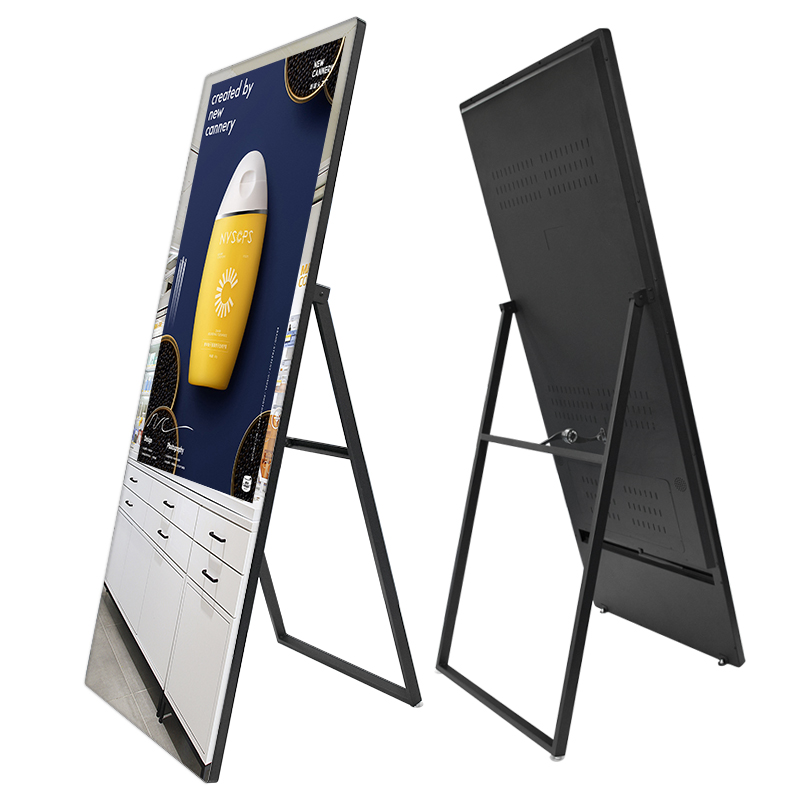
Choosing the right mirror display solution requires careful evaluation of multiple technical and business factors. A mirror display serves as both a functional reflective surface and an engaging digital interface, making it essential to compare specifications, capabilities, and long-term value before committing to a specific product. Whether you're outfitting a retail showroom, hospitality venue, or corporate environment, understanding what to compare when selecting a mirror display solution will help you avoid costly mistakes and maximize return on investment.
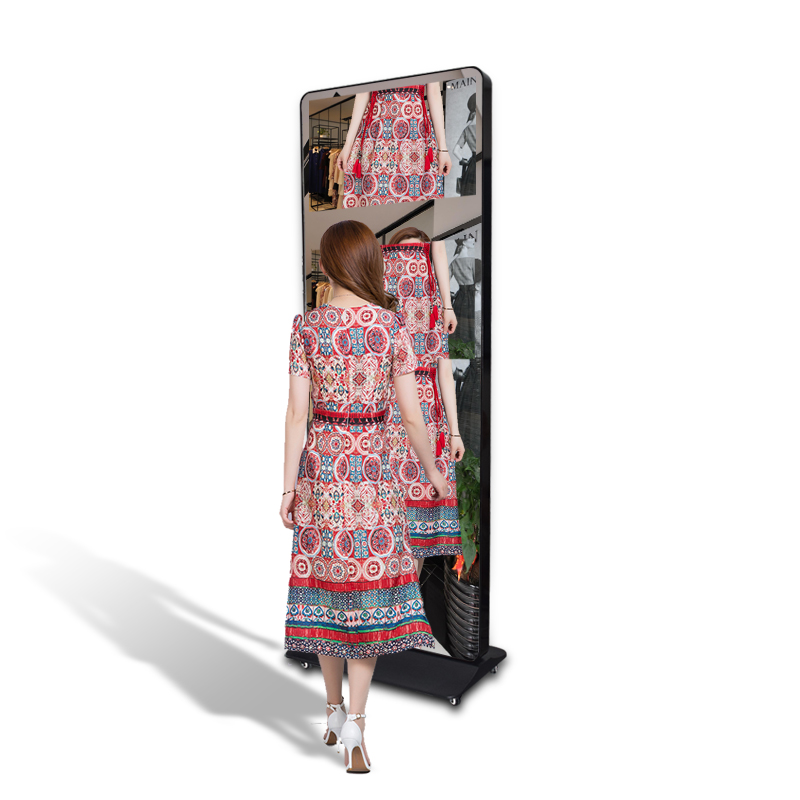
The mirror display market has evolved significantly, with modern solutions offering integrated touchscreen capabilities, dual operating systems, and sophisticated content management platforms. However, not all mirror display products are created equal. The decision to invest in a mirror display requires you to evaluate resolution quality, interactive functionality, build durability, software compatibility, and vendor support. This guide walks you through the critical comparison factors that separate adequate mirror display solutions from truly effective ones.
Resolution and Display Quality
Visual Clarity and Pixel Density
When comparing mirror display options, resolution stands as one of the most noticeable quality differentiators. A mirror display with higher pixel density delivers sharper text, clearer product images, and more engaging visual content. Retail environments especially benefit from premium resolution because customers notice image quality immediately when viewing mirror display screens from varying distances. The mirror display should support at least Full HD (1920×1080) resolution, though 4K options are increasingly common in premium installations. Consider the viewing distance in your space—a mirror display installed at arm's length requires different resolution specifications than one viewed from across a room.
Color Accuracy and Brightness
The quality of your mirror display extends beyond resolution into color reproduction and brightness levels. A mirror display must maintain accurate color rendering to display products, promotional content, and branding materials as intended. Brightness becomes critical when your mirror display will be placed near windows or in brightly lit areas, as insufficient brightness makes content difficult to see. Professional mirror display solutions typically offer brightness levels of 500 nits or higher, ensuring visibility even in challenging lighting conditions. Test the mirror display's color gamut and brightness performance under the actual lighting conditions where you plan to install it, as this significantly impacts perceived quality and user engagement with the mirror display.
Interactivity and Touch Capability
Touch Technology and Responsiveness
Modern mirror display products increasingly incorporate touch functionality, transforming them from passive displays into interactive engagement tools. When evaluating a mirror display with touchscreen capability, assess the touch technology type—capacitive touch offers better accuracy and multi-touch support, while other technologies may have different responsiveness characteristics. The mirror display's touch responsiveness directly affects user experience; sluggish touch detection creates frustration and discourages customer interaction. Look for a mirror display that supports gesture recognition, allowing users to swipe, zoom, and tap intuitively. Additionally, verify that your chosen mirror display can handle simultaneous multi-touch inputs if you plan to enable collaborative or demonstration-based interactions.
Content Control and User Interface
The mirror display's interface design and content control capabilities determine how easily staff can manage displayed content and how intuitively customers can navigate interactive features. A well-designed mirror display includes an intuitive control interface that minimizes training time for employees. Consider whether the mirror display supports gesture controls, voice commands, or traditional touch menus based on your use case. The mirror display should integrate seamlessly with your existing content management system, allowing real-time updates without requiring physical intervention. Some mirror display solutions offer remote management capabilities, enabling you to control multiple mirror display installations from a central dashboard, which is invaluable for multi-location operators.
Durability, Integration, and Support
Build Quality and Environmental Resilience
A mirror display installed in retail or hospitality settings experiences daily contact, temperature fluctuations, and humidity variations. Evaluating the mirror display's build quality ensures it withstands real-world conditions without premature degradation. The mirror display should feature tempered glass surfaces, reinforced frames, and sealed component assemblies that resist dust and moisture ingress. High-traffic environments demand mirror display solutions with rubberized edges and impact-resistant casings. Additionally, assess the mirror display's operational temperature range and humidity tolerance to ensure compatibility with your installation environment. Verify that all components, including the mirror display's reflective surface, maintain integrity under the expected conditions of your specific application.
Operating System and Software Flexibility
The operating system running your mirror display fundamentally affects content compatibility, application availability, and long-term software support. Many modern mirror display solutions now offer dual-configuration options, supporting both Android and x86 operating systems on a single hardware platform. This flexibility allows you to choose which environment best suits your content delivery requirements and application ecosystem. The mirror display's OS selection impacts available apps, third-party integrations, and content management tools. Consider whether the mirror display needs to run custom applications, and verify that your chosen OS supports those requirements. Enterprise mirror display deployments often benefit from dual-OS capability, providing future-proofing against changing software landscapes and application dependencies.
Vendor Support and Warranty Coverage
Post-installation support quality significantly impacts the total cost of ownership for any mirror display deployment. When comparing mirror display vendors, inquire about warranty duration, coverage scope, and response times for technical issues. A reliable mirror display provider offers comprehensive support including installation guidance, software training, and troubleshooting assistance. Consider the mirror display vendor's availability across your geographic region and their experience supporting similar installations. Some mirror display suppliers provide dedicated account management and proactive monitoring, which minimizes downtime and ensures consistent performance. Evaluate whether the mirror display vendor offers remote diagnostic capabilities and efficient parts replacement programs, as these factors directly affect operational continuity.
FAQ
What size mirror display should I select for my retail space?
Mirror display sizing depends on your available wall space and viewing distance. For spaces where customers view from 1–3 feet away, a mirror display in the 32–43 inch range works well. Larger installations or spaces where people view from greater distances may require mirror display screens of 55 inches or larger. Consider the content you'll display and ensure the mirror display size supports readability of text and product imagery at typical viewing distances in your space.
Can a mirror display function as both a mirror and a display simultaneously?
Most professional mirror display solutions use smart glass technology that allows the display to show digital content while maintaining partial reflectivity. When content is displayed, the mirror display's reflective properties diminish slightly, and when the display turns off, the mirror display returns to normal mirror functionality. This dual-purpose approach allows you to maintain aesthetic appeal while gaining digital engagement capabilities from your mirror display.
How do I integrate a mirror display with my existing retail systems?
Modern mirror display solutions typically offer multiple integration pathways including HDMI input, network connectivity, and API access for content management systems. Many mirror display products support standard protocols like MQTT and REST APIs, enabling integration with POS systems, inventory management, and customer analytics platforms. Your mirror display vendor should provide technical documentation and integration support to help connect the mirror display to your existing infrastructure seamlessly.


