 EN
EN

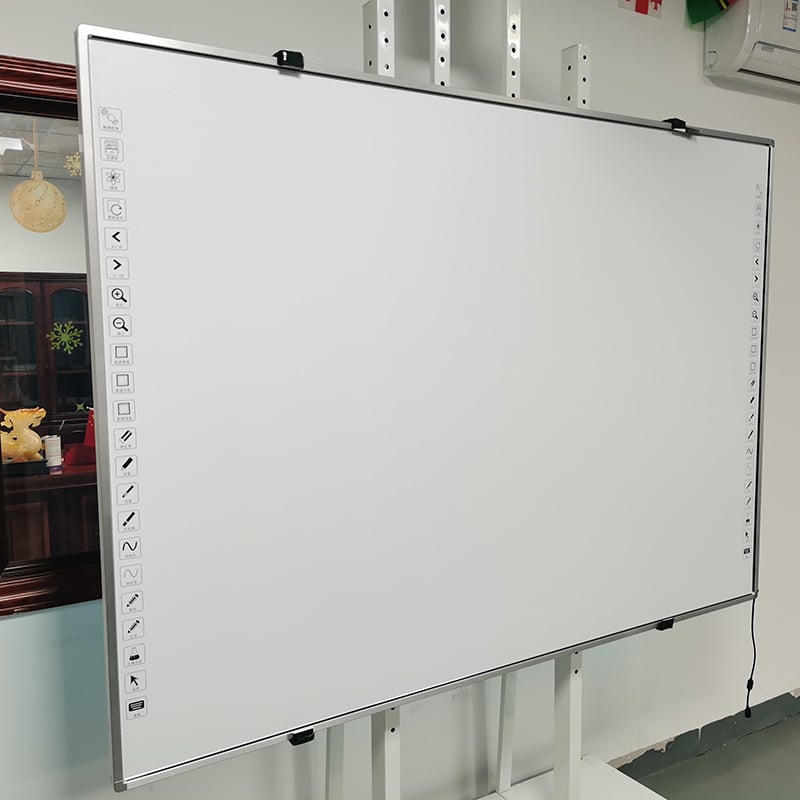
Remote and hybrid learning models have fundamentally reshaped how educational institutions deliver instruction. Teachers and students now navigate environments where engagement, interactivity, and real-time collaboration must happen across multiple devices and locations. A smart whiteboard for remote learning bridges the gap between traditional in-person teaching and digital education, creating a unified platform where both physical and virtual participants can interact seamlessly. This technology has become essential for institutions seeking to maintain teaching quality while accommodating flexible work and learning arrangements.
The adoption of a smart whiteboard for remote learning represents more than simply replacing chalk and blackboards. It combines display technology, software integration, and connectivity features designed specifically to support modern pedagogical approaches. Whether instructors teach from a classroom, office, or home, and whether students attend in person or join remotely, a smart whiteboard for remote learning ensures that content creation, annotation, and real-time updates reach all participants instantly. This capability directly addresses the core challenge of hybrid education: maintaining teaching effectiveness without sacrificing inclusion or participation quality.
Enhancing Engagement Across Distributed Classrooms
Real-Time Interactivity and Participation
A smart whiteboard for remote learning transforms passive viewing into active participation. Remote students can annotate directly on shared content, ask questions through integrated tools, and see their contributions displayed immediately to the entire class. This real-time interactivity prevents remote participants from becoming spectators and instead positions them as equal contributors to the learning experience. Teachers using a smart whiteboard for remote learning report significantly higher engagement levels when students can manipulate objects, solve problems collaboratively, and receive instant feedback on their work.
The visual immediacy of a smart whiteboard for remote learning creates psychological engagement that recorded videos or static slides cannot match. When students see their ideas appear on screen within seconds of submission, they experience validation and motivation to participate further. This dynamic environment is particularly valuable in mathematics, science, and technical subjects where collaborative problem-solving drives deeper understanding. A smart whiteboard for remote learning thus becomes a psychological bridge that closes the emotional distance between remote and in-person learners.
Accessibility and Inclusive Learning Design
A smart whiteboard for remote learning inherently supports diverse learning needs through multiple interaction modes. Students who learn best through visual presentation, kinesthetic manipulation, or audio explanation all find value in the same platform. Teachers can adjust text size, color contrast, and annotation speed to accommodate students with visual or fine motor challenges. A smart whiteboard for remote learning also records all sessions automatically, allowing students to revisit complex concepts at their own pace and providing a searchable archive of classroom content.
Accessibility extends beyond individual student needs to geographic equity. A smart whiteboard for remote learning eliminates the quality gap that traditionally disadvantaged rural or remote students. Whether a student attends class from an urban campus or connects from a remote location, they experience the same interactive content delivery and have equal opportunity to contribute. This democratization of educational quality represents a significant advancement in educational equity.
Streamlining Content Creation and Classroom Management
Integrated Tools and Workflow Efficiency
A smart whiteboard for remote learning consolidates multiple software applications into a single intuitive interface. Rather than toggling between presentation software, video conferencing, document annotation, and screen sharing, teachers manage all these functions directly on the display. This consolidated workflow reduces technical friction, minimizes connection disruptions, and allows instructors to focus on teaching rather than troubleshooting technology. The integrated nature of a smart whiteboard for remote learning means that annotations made during a lesson are automatically saved with the corresponding video recording, creating searchable multimedia content archives.
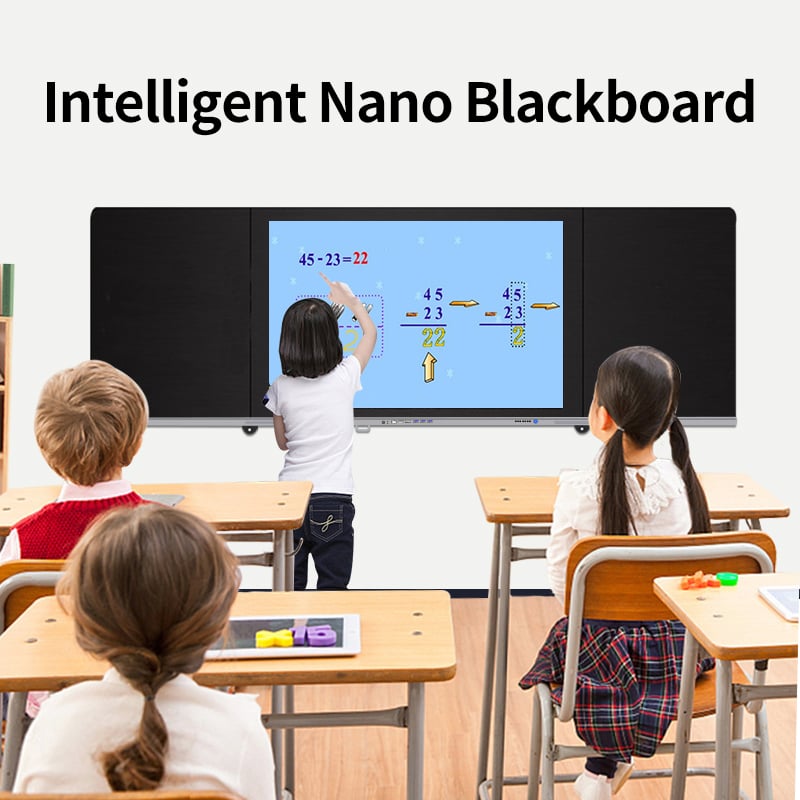
Setup time decreases dramatically when schools deploy a smart whiteboard for remote learning. Teachers connect their devices once, and the platform handles all synchronization with remote participants automatically. A smart whiteboard for remote learning eliminates the need for separate audio systems, document cameras, or external recording devices, reducing both capital costs and maintenance complexity. This simplification is particularly valuable for educators who are not early-technology adopters and need straightforward, reliable tools.
Content Preparation and Resource Management
A smart whiteboard for remote learning enables teachers to prepare rich multimedia lessons that blend text, diagrams, video, and interactive elements. Pre-prepared content can be uploaded directly to the system, while teachers retain full flexibility to pause, annotate, modify, and extend any element during the live session. A smart whiteboard for remote learning supports direct import from learning management systems, ensuring that all course materials are synchronized across platforms and reducing the duplication of effort. When teachers save their annotations and modifications, they build an increasingly sophisticated library of customized content that improves with each iteration.
Resource sharing among colleagues becomes significantly easier with a smart whiteboard for remote learning. Instructors can exchange lesson files, annotation templates, and interactive modules, knowing that a smart whiteboard for remote learning will display them identically across all instances. This standardization promotes professional collaboration and accelerates the adoption of evidence-based teaching practices within departments and schools.
Building Sustainable Hybrid Learning Infrastructure
Technical Reliability and Long-Term Cost Efficiency
Institutions selecting a smart whiteboard for remote learning must consider not only initial purchase price but also total cost of ownership across five to ten years. A smart whiteboard for remote learning designed for educational environments includes robust software updates, technical support, and warranty coverage that protects institutions from costly mid-cycle failures. The specialized features of a smart whiteboard for remote learning—such as multi-user gesture recognition, persistent storage across sessions, and automatic participant management—represent investments that pay dividends through reduced troubleshooting time and increased classroom availability.
Scalability is critical for growing institutions. A smart whiteboard for remote learning architecture must support expansion from individual classrooms to district-wide deployment without requiring fundamental system redesign. This scalability means that institutions can start with pilot implementations, gather evidence of effectiveness, and then expand confidently knowing that a smart whiteboard for remote learning will function consistently at larger scale. Technical staff need minimal training on a smart whiteboard for remote learning when the platform prioritizes intuitive design and cloud-based administration.
Training, Support, and Adoption Pathways
A smart whiteboard for remote learning is only effective when teachers and students know how to use it. Institutions must invest in comprehensive onboarding programs where educators explore a smart whiteboard for remote learning features through hands-on practice, watch demonstration videos, and receive ongoing coaching. A smart whiteboard for remote learning with strong vendor support includes regular webinars, troubleshooting resources, and responsive technical help that accelerates adoption and reduces frustration during the transition period.
Professional development should emphasize pedagogical applications rather than technical button-pushing. Teachers need to understand how a smart whiteboard for remote learning changes what is possible in their specific subject areas. A smart whiteboard for remote learning enables collaborative problem-solving in mathematics, real-time data visualization in science, and dynamic text annotation in language arts. When teachers grasp these pedagogical possibilities, they become enthusiastic advocates for a smart whiteboard for remote learning adoption, influencing peers and helping colleagues navigate the learning curve more effectively.
FAQ
What specific features should we prioritize when evaluating a smart whiteboard for remote learning?
Focus on seamless integration between in-person and remote participants, automatic session recording with searchable features, support for simultaneous multi-user annotation, and compatibility with common learning management systems. A smart whiteboard for remote learning should include reliable cloud storage, strong security protocols, and intuitive software that teachers can learn quickly. Also verify that a smart whiteboard for remote learning includes technical support tailored to educational institutions and professional development resources for your staff.
How does a smart whiteboard for remote learning compare to using traditional video conferencing with screen sharing?
While video conferencing with screen sharing addresses basic communication needs, a smart whiteboard for remote learning provides dedicated features that video platforms lack, including multi-user simultaneous annotation, automatic content organization, session persistence across days or weeks, and specialized educational tools like graph overlays and geometric construction. A smart whiteboard for remote learning also reduces bandwidth requirements and decreases participant fatigue by eliminating the need to watch small screen-share windows. Teachers and students interact directly with content rather than viewing it passively.
Can existing classroom infrastructure work with a smart whiteboard for remote learning?
Most educational institutions can integrate a smart whiteboard for remote learning into existing technology ecosystems. Look for platforms that support standard video conferencing connections, work with current learning management systems, and connect to existing audio systems if needed. A smart whiteboard for remote learning typically requires only reliable internet connectivity, power supply, and appropriate display space. Installation generally takes one day, and many schools gradually transition by deploying a smart whiteboard for remote learning in high-priority spaces first, then expanding to additional classrooms as budget allows.
Table of Contents
- Enhancing Engagement Across Distributed Classrooms
- Streamlining Content Creation and Classroom Management
- Building Sustainable Hybrid Learning Infrastructure
-
FAQ
- What specific features should we prioritize when evaluating a smart whiteboard for remote learning?
- How does a smart whiteboard for remote learning compare to using traditional video conferencing with screen sharing?
- Can existing classroom infrastructure work with a smart whiteboard for remote learning?


