Interactive Smart Board: Revolutionary Touch Technology for Enhanced Collaboration and Presentations

Get a Free Quote

Our representative will contact you soon.
Email
Name
Company Name
Mobile/WhatsApp
Message
0/1000

interactive smart board

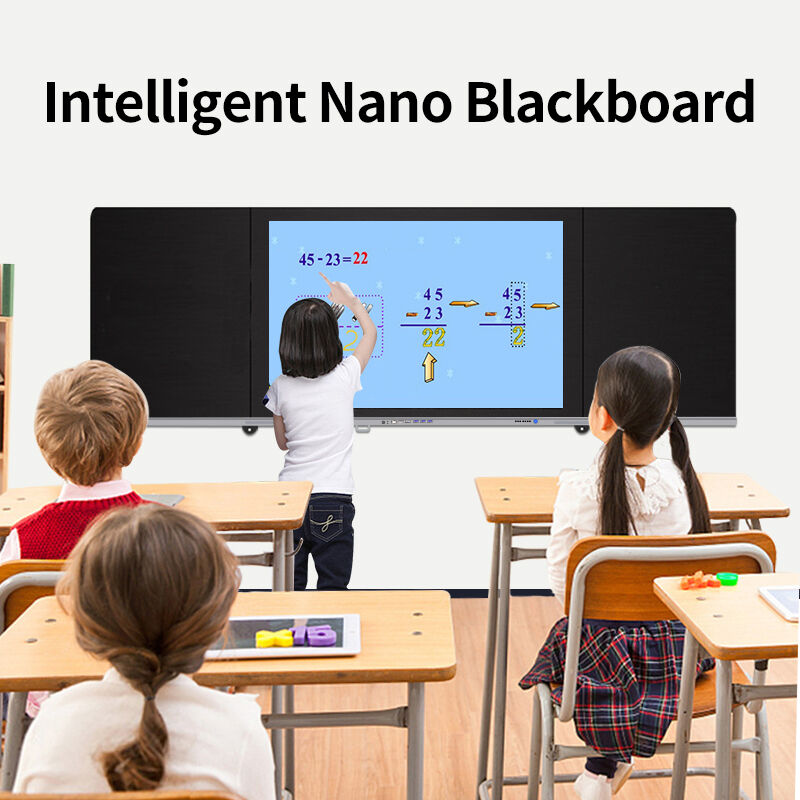
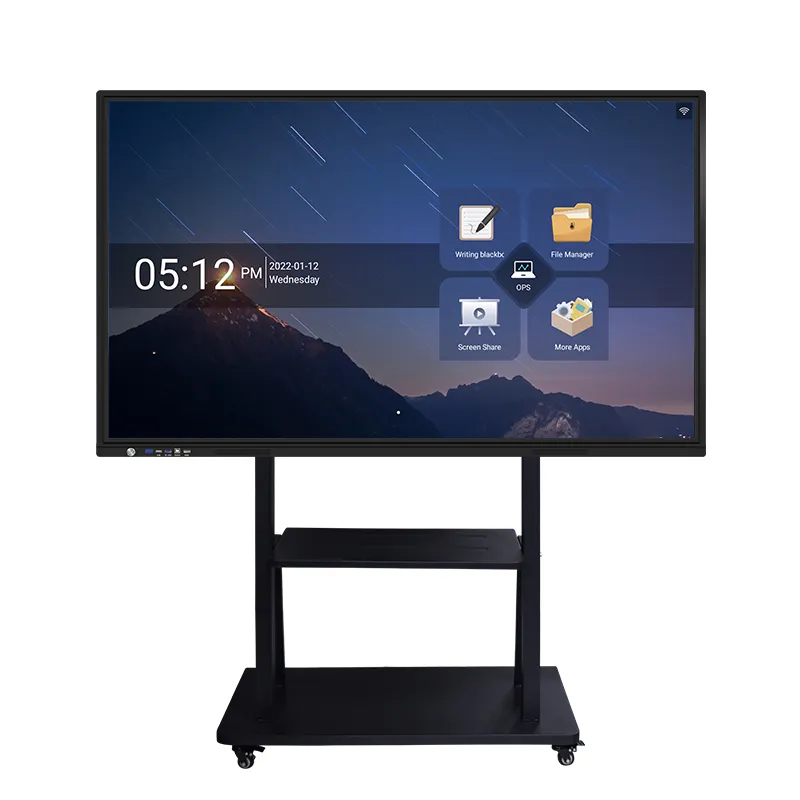
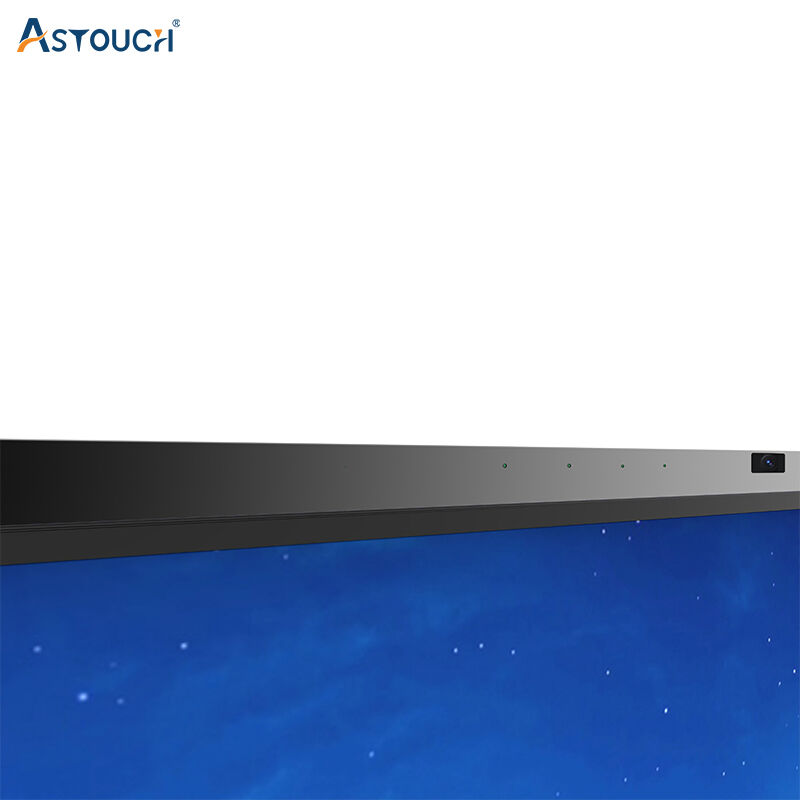
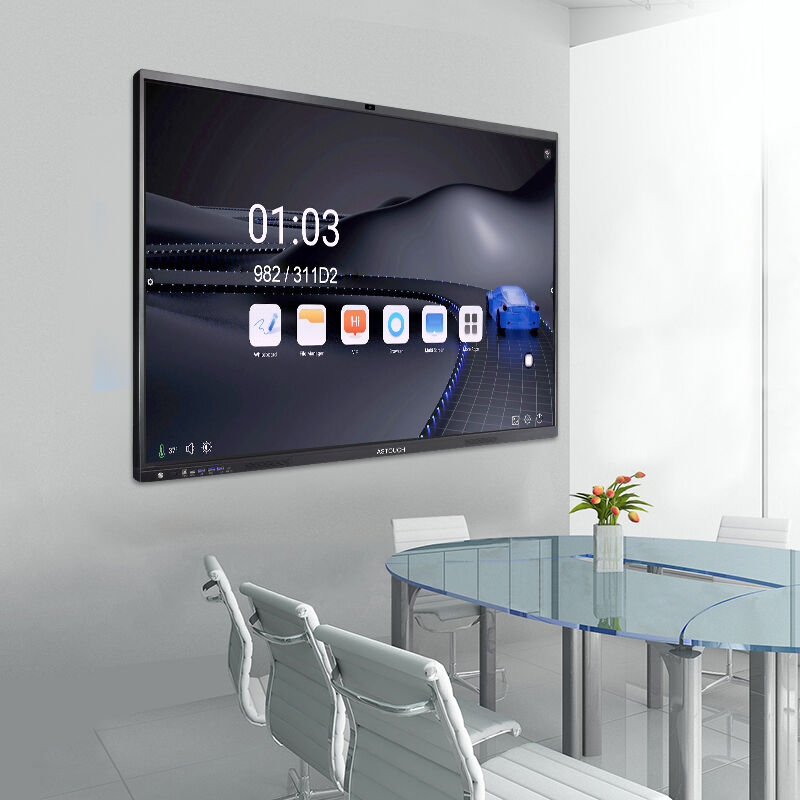
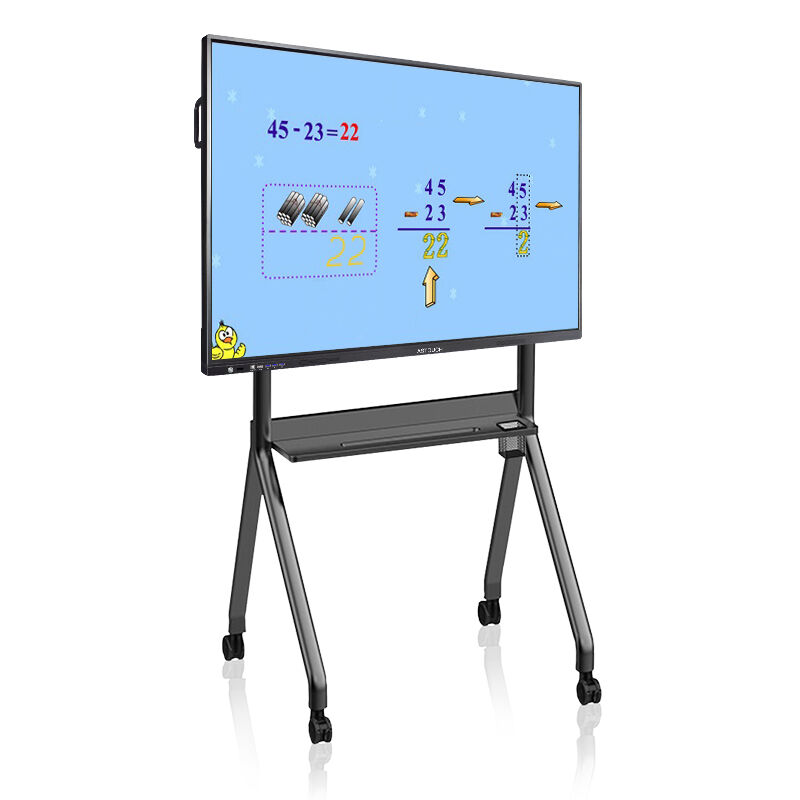
An interactive smart board revolutionizes traditional presentation and learning environments by combining cutting-edge touch technology with powerful software capabilities. This advanced display system transforms any wall or surface into a dynamic, responsive workspace that responds to touch, stylus input, and gesture commands. The interactive smart board serves as a central hub for collaboration, education, and business presentations, offering users an intuitive platform that bridges digital and physical interaction. Modern interactive smart board systems feature high-resolution displays ranging from 55 inches to 98 inches, providing crystal-clear visuals that remain sharp even in well-lit environments. The multi-touch functionality supports simultaneous input from multiple users, enabling collaborative work sessions where teams can interact with content simultaneously. Core technological features include infrared touch detection, electromagnetic resonance, or capacitive touch sensors that ensure precise input recognition. The interactive smart board integrates seamlessly with various operating systems including Windows, Android, and iOS, allowing users to run familiar applications directly on the display. Built-in processors and memory ensure smooth operation without requiring external computers, though connectivity options support laptop and mobile device integration. Wireless screen mirroring capabilities enable presenters to share content from personal devices instantly. Applications span across educational institutions where teachers create immersive lessons, corporate boardrooms for dynamic presentations, healthcare facilities for patient consultations, and retail environments for customer engagement. The interactive smart board supports annotation tools, allowing users to write, draw, and highlight directly on displayed content. Cloud connectivity enables real-time collaboration with remote participants, making it invaluable for hybrid work environments. Digital whiteboarding features replace traditional whiteboards while offering infinite canvas space and the ability to save, share, and revisit sessions. Advanced models include built-in cameras and microphones for video conferencing integration, transforming the interactive smart board into a complete communication solution.

New Product Recommendations

The interactive smart board delivers transformative benefits that enhance productivity, engagement, and collaboration across various professional and educational settings. Users experience dramatically improved meeting efficiency as the interactive smart board eliminates the need for multiple devices and cables, creating a streamlined presentation environment. Teams can instantly share screens, annotate documents, and make real-time changes that everyone sees simultaneously. This immediate visual feedback accelerates decision-making processes and reduces meeting duration while increasing output quality. Educational institutions benefit enormously from the interactive smart board's ability to create immersive learning experiences that cater to different learning styles. Visual learners engage with high-definition graphics and videos, while kinesthetic learners benefit from hands-on interaction with educational content. Teachers can incorporate multimedia elements, interactive quizzes, and collaborative exercises that maintain student attention and improve comprehension rates. The interactive smart board supports differentiated instruction by allowing educators to adapt content presentation based on individual student needs and classroom dynamics. Business professionals gain competitive advantages through enhanced presentation capabilities that leave lasting impressions on clients and stakeholders. The interactive smart board enables presenters to manipulate data in real-time, respond to questions with immediate visual demonstrations, and create dynamic presentations that adapt to audience feedback. Sales teams can showcase products interactively, allowing potential customers to explore features and configurations directly on the display. Cost savings emerge from reduced paper consumption, decreased printing expenses, and elimination of traditional presentation equipment maintenance. Organizations can significantly reduce their environmental footprint while improving operational efficiency. The interactive smart board's cloud integration enables seamless remote collaboration, reducing travel costs and expanding team accessibility. Training programs become more effective as instructors can create interactive modules that engage participants and improve knowledge retention. Healthcare providers utilize the interactive smart board for patient education, treatment planning, and medical team consultations, improving care quality and patient understanding. The technology's reliability and durability ensure long-term value, with minimal maintenance requirements and software updates that continuously enhance functionality. Return on investment becomes evident through improved productivity metrics, enhanced learning outcomes, and reduced operational costs across multiple organizational functions.

Latest News

Why Choose a Touch Screen Kiosk for Retail and Service Automation?

23

Dec

Why Choose a Touch Screen Kiosk for Retail and Service Automation?

Modern retail and service environments are rapidly transforming through digital automation, with touch screen kiosk technology leading this revolutionary change. Businesses across industries are discovering that implementing interactive self-service ...
View More
How Does a Mirror Display Combine Functionality and Aesthetics?

10

Jan

How Does a Mirror Display Combine Functionality and Aesthetics?

A mirror display represents one of the most innovative convergences of traditional aesthetics and cutting-edge digital technology in today's commercial and residential environments. These sophisticated devices seamlessly blend the reflective properti...
View More
Which industries are best suited to utilising freestanding self-service kiosks?

16

Jan

Which industries are best suited to utilising freestanding self-service kiosks?

The rapid evolution of digital technology has revolutionized customer service across numerous industries, with freestanding self-service kiosks emerging as a transformative solution for businesses seeking to enhance operational efficiency and custome...
View More
Why Choose a Bar Display for Retail Shelving and Advertising?

28

Jan

Why Choose a Bar Display for Retail Shelving and Advertising?

Modern retail environments demand innovative solutions that capture customer attention while maximizing space efficiency. The bar display has emerged as a revolutionary technology that transforms traditional retail shelving into dynamic advertising p...
View More

Get a Free Quote

Our representative will contact you soon.
Email
Name
Company Name
Mobile/WhatsApp
Message
0/1000

interactive smart board

Advanced Multi-Touch Technology with Precision Input Recognition

Advanced Multi-Touch Technology with Precision Input Recognition

The interactive smart board's sophisticated multi-touch technology represents a breakthrough in human-computer interaction, utilizing advanced sensors that detect up to 20 simultaneous touch points with exceptional accuracy. This precision input recognition system employs infrared, capacitive, or electromagnetic technologies to ensure every gesture, tap, and stroke registers immediately without lag or distortion. Users can write naturally with fingers or stylus tools, experiencing the same responsiveness as traditional writing implements while enjoying digital advantages like instant erasure, color changes, and infinite canvas space. The interactive smart board's palm rejection technology allows users to rest their hands naturally on the surface while writing, eliminating accidental marks that plague lesser touch systems. This feature proves invaluable during extended brainstorming sessions, detailed design work, and educational activities where natural hand positioning enhances comfort and productivity. Multi-user collaboration reaches new heights as the interactive smart board simultaneously recognizes different users' inputs, enabling team members to work on separate sections of the same document or contribute to shared projects without interference. The pressure-sensitive display adjusts line thickness based on touch force, providing artistic control that appeals to creative professionals and educators who incorporate visual elements into their work. Advanced gesture recognition supports intuitive commands like pinch-to-zoom, two-finger rotation, and swipe navigation, making the interactive smart board accessible to users regardless of their technical expertise. The system's calibration algorithms continuously optimize touch accuracy, automatically adjusting for environmental factors and wear patterns to maintain consistent performance over time. Professional applications benefit from sub-pixel accuracy that enables precise technical drawings, detailed annotations, and fine motor skill development activities. Educational environments leverage this technology to create engaging lessons where students manipulate mathematical equations, dissect virtual specimens, and collaborate on creative projects with unprecedented precision and responsiveness.
Seamless Connectivity and Cross-Platform Integration

Seamless Connectivity and Cross-Platform Integration

The interactive smart board excels in creating unified digital ecosystems through comprehensive connectivity options and universal compatibility across all major operating systems and devices. Built-in WiFi, Bluetooth, and multiple USB ports ensure effortless connection to laptops, tablets, smartphones, and cloud services without complicated setup procedures or compatibility concerns. Users can instantly mirror their device screens onto the interactive smart board, share files wirelessly, and access cloud-based applications directly from the display interface. This seamless integration eliminates the frustration of technical difficulties that often disrupt presentations and learning activities, allowing users to focus on content rather than troubleshooting connection issues. The interactive smart board's native support for popular business applications like Microsoft Office, Google Workspace, and specialized industry software means teams can work with familiar tools while benefiting from large-screen collaboration capabilities. Real-time synchronization ensures that changes made on the interactive smart board instantly appear on connected devices, enabling hybrid work scenarios where remote participants contribute equally to in-person discussions. Advanced security protocols protect sensitive information during wireless connections, meeting enterprise-grade requirements for data protection and access control. The interactive smart board's browser-based applications eliminate software installation requirements, allowing organizations to deploy the technology across multiple locations without extensive IT support. Conference room integration becomes effortless as the interactive smart board connects directly to video conferencing platforms, room booking systems, and presentation equipment through standardized protocols. Educational institutions benefit from learning management system integration that allows teachers to access student assignments, grade work collaboratively, and share resources directly through the interactive smart board interface. The technology's ability to save session content in multiple formats ensures work can continue seamlessly across different devices and platforms, providing flexibility that matches modern workflow requirements and enhancing overall productivity.
Enhanced Collaboration Features for Modern Workspaces

Enhanced Collaboration Features for Modern Workspaces

The interactive smart board transforms traditional collaboration by providing sophisticated features that enable multiple participants to contribute simultaneously while maintaining organized, productive workflow patterns. Advanced user identification technology recognizes individual contributors, automatically assigning different colors and styles to each participant's input while maintaining a comprehensive activity log for accountability and review purposes. Teams can divide the large display surface into multiple work zones, allowing simultaneous brainstorming sessions, document editing, and presentation preparation without interference between activities. The interactive smart board's infinite canvas feature eliminates space constraints that limit traditional whiteboards, enabling expansive mind mapping, detailed project planning, and comprehensive information visualization that supports complex problem-solving processes. Real-time collaboration extends beyond physical presence as remote participants can contribute through companion applications, viewing and editing shared content as if they were physically present in the room. The interactive smart board's session recording capabilities capture entire collaboration processes, including audio, visual changes, and participant contributions, creating valuable documentation for project reviews and knowledge transfer. Template libraries provide structured frameworks for common collaboration activities like SWOT analyses, project timelines, and decision matrices, accelerating meeting productivity while ensuring consistent methodologies across different teams and projects. Advanced annotation tools support various input methods including handwriting recognition that converts written text into digital format, maintaining readability while preserving the natural flow of collaborative discussions. The interactive smart board's integration with project management platforms enables teams to convert brainstorming sessions directly into actionable tasks, assign responsibilities, and establish timelines without switching between different systems. Split-screen functionality allows simultaneous display of multiple documents, applications, or video feeds, enabling comprehensive discussions that reference various information sources. Cloud synchronization ensures all collaboration sessions are automatically backed up and accessible across devices, supporting flexible work arrangements and project continuity. These enhanced collaboration features transform the interactive smart board into an essential tool for modern organizations that prioritize teamwork, innovation, and efficient communication.

Get a Free Quote

Our representative will contact you soon.
Email
Name
Company Name
Mobile/WhatsApp
Message
0/1000